Updated August 10, 2026.
You can ask Crezendo about an old Windows 98 laptop in Panama. Its age, brand, or failure to power on is not enough to decide its destination: safety, storage, accessories, and possible technical or educational value should be evaluated first.
Before moving it or trying to power it on, send Crezendo a donation inquiry with photos and a description. An inquiry does not guarantee acceptance, pickup, repair, or reuse. This article also does not present Crezendo as a data-erasure or recovery service, nor does it promise receipts or certificates.
Quick answer based on laptop condition
| Observed condition | What to do first | Prudent next step |
|---|---|---|
| Complete, no visible damage, and a clearly identified charger | Protect the data and inspect the battery, cable, and connector | Ask before powering or transporting it |
| It does not start but shows no swelling, leak, odor, or heat | Do not buy parts or try random adapters | Report the make, model, accessories, and symptoms |
| Swollen, punctured, leaking, corroded, or odorous battery | Do not charge, power, compress, or force the battery | Keep it away from flammable material and seek safe handling guidance |
| Charger or battery is missing | Do not improvise a power source | Ask while identifying exactly what is missing |
| A hard drive with information remains inside | Back up and verify the copy before erasing or removing the drive | Sanitize for the medium and sensitivity |
| It contains business, medical, financial, or third-party data | Follow the owner’s policy and obtain authorization | Do not release it while recoverable information may remain |
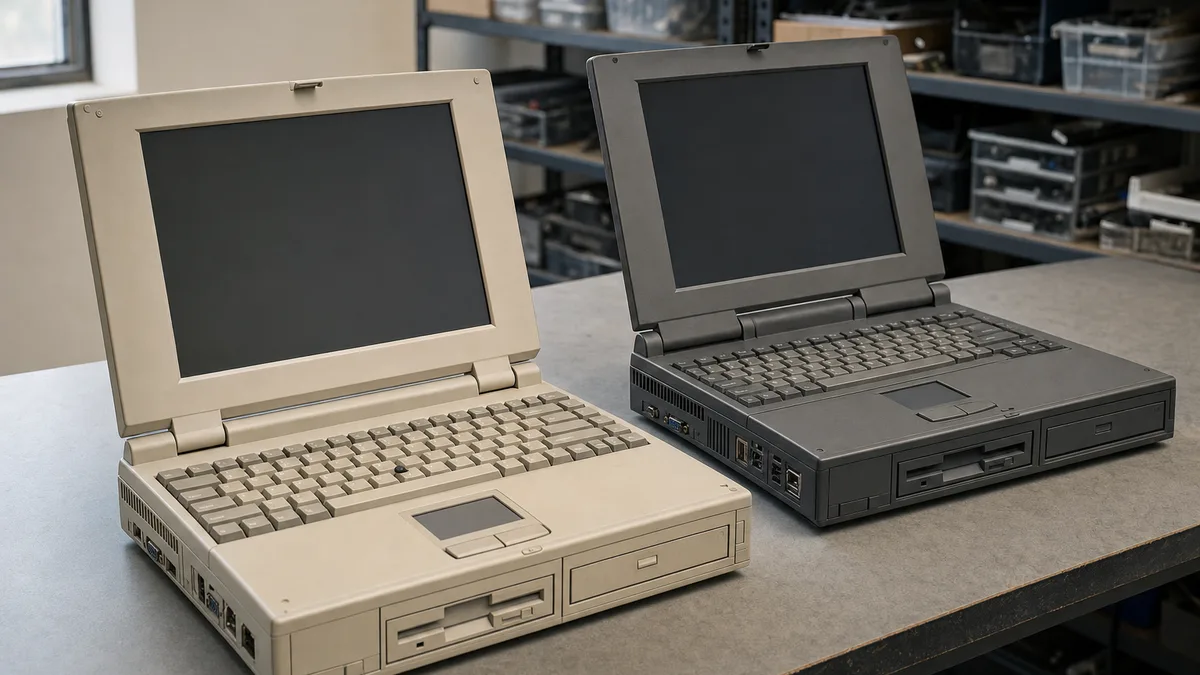
A Windows 98 laptop might be useful for documenting legacy hardware, identifying interfaces, studying maintenance, or recovering components. It may also be unsafe or unsuitable. Crezendo must assess each case and confirm a possible next step.
Windows 98 is not safe for ordinary connected use
Microsoft recorded the end of support for Windows 98 and Windows 98 Second Edition on July 11, 2006. Its current Windows lifecycle FAQ explains that an operating system at end of support no longer receives technical assistance, software updates, or security fixes.
The fact that the system still boots does not make it appropriate for web browsing, email, account sign-in, payments, or sensitive information. It should not be connected to an ordinary home or business network merely to “see whether it works.”
If a qualified person needs to examine it, the prudent option is to work offline or in an isolated, controlled environment. The potential value is in its hardware, history, and technical practice—not in using Windows 98 as a modern personal computer.
What value might such an old laptop retain?
After evaluation, the system or some of its parts might help with:
- identifying ports, modules, drives, and boot methods from an earlier era;
- practicing inspection, documentation, and controlled disassembly without promising a repair;
- comparing legacy hardware architectures and limitations;
- preserving a historical reference when the model, accessories, or software are relevant;
- recovering compatible parts or demonstration material when condition permits.
These are possibilities, not guaranteed outcomes. Not every laptop will be opened, repaired, shown in a workshop, or used by students. A donor does not need to buy memory, a battery, storage, or a charger before asking.
For advice that applies to other generations, see the general guide to donating an old laptop in Panama. This page keeps a narrower focus: Windows 98, risks in equipment stored for decades, and evaluation before power is applied.
Inspect the battery before powering the laptop
Laptops from this period can use different battery chemistries and form factors. Do not assume an old battery is harmless because it is discharged. Inspect the outside without dismantling or pressing it:
- a lifted enclosure, keyboard, or touchpad;
- a swollen or split battery, or one that no longer fits;
- leakage, residue, corrosion, unusual odor, or discoloration;
- signs of moisture, impact, scorching, or abnormal heat;
- exposed wire, bent connector, or brittle material.
The EPA explains that a swollen lithium-ion battery is damaged and may present a fire hazard. If you see swelling or other battery damage, do not charge it or power on the laptop. Do not puncture, bend, crush, or force removal; some batteries are not designed for user servicing. Keep the system in a safe, stable place away from flammable materials while you obtain appropriate guidance.
Do not place damaged rechargeable batteries in household trash or curbside recycling. The EPA’s used-battery guidance recommends contacting the manufacturer for specific handling information when a lithium-ion battery is damaged. Describe the condition and wait for instructions before transporting the laptop.
Do not try a charger merely because its plug fits
A physically similar connector does not prove compatibility. Old laptops depend on the approved model, output voltage, polarity, available wattage, and physical condition of both cable and adapter. The wrong combination can damage equipment or create an electrical hazard.
Dell’s guidance on adapter compatibility and safety recommends checking the model-specific requirements and not assuming that any charger will work. Even when your laptop is from another brand, the same principle applies: identify the equipment label and use only the original or approved adapter for that model.
Do not use an adapter with a frayed cable, loose pin, broken enclosure, odor, sparks, or abnormal heat. If it is missing, include a photo of the laptop’s bottom label and power port in the inquiry. You do not need to buy a replacement to request an evaluation.
Protect your data before donating
A laptop that does not boot may still contain a readable drive. The owner must address the data before storage leaves their control.
- Identify who owns the files and whether third-party information is present.
- Copy anything you need to retain to another protected medium.
- Open representative documents, photos, and other files from that copy. When possible, restore a sample to another location.
- Identify the storage. Many laptops from this period use magnetic IDE drives, but the exact model must be verified.
- Apply sanitization appropriate to the medium and sensitivity, or remove and retain the drive when you cannot demonstrate the result.
- Do not provide passwords, keys, accounts, or notes containing private information.
The FTC recommends backing up and erasing the drive before donating a computer. Deleting files or performing a quick format does not by itself prove that information is unrecoverable. The current NIST SP 800-88 Revision 2 requires selection and validation of sanitization appropriate to the medium, sensitivity, and later use.
This guide does not promise that Crezendo will erase, destroy, or recover storage. Read how to erase your data before donating a laptop. If you prefer to keep the drive, see how to donate a computer without its hard drive.
What to send before transporting the laptop
A useful inquiry can include:
- exact make and model when shown on the label;
- photos of the front, underside, ports, battery, and any damage;
- whether it starts, fails to start, or has not been tested;
- visible battery condition and whether it is removable without tools or force;
- charger label and condition, when available;
- presence or absence of storage, memory, floppy drive, and optical drive;
- any known moisture, drop, overheating, or long-term storage history;
- number of devices, especially for a business or collection;
- backup and sanitization status, without sharing data or credentials.
With that information, ask Crezendo about a possible donation and wait for confirmation. Do not bring a damaged battery or attempt to ship it without specific instructions: transportation conditions may require different handling.
Accessories worth keeping with the system
Do not discard identified accessories separately. They may help Crezendo evaluate the set:
- original or approved charger with a readable label;
- removable battery, only when healthy and already separated;
- original recovery disks or diskettes, first checked for personal data;
- manuals, case, modules, adapters, or docking station;
- technical notes about faults, without passwords or private information.
Do not include an unknown adapter “just in case.” Do not store a swollen battery inside the laptop bag either. Report missing accessories; their absence does not prevent an inquiry, although it may affect evaluation.
How the Crezendo inquiry works
- Gather equipment details and inspect the battery, charger, and storage.
- Complete the donation form in the appropriate language.
- Describe the condition honestly and attach photos when the channel permits.
- Wait for confirmation about whether Crezendo can evaluate it and how to proceed.
- Protect it from impact and moisture during any authorized transport.
Crezendo-first means asking before discarding a laptop with possible technical value. It does not mean every computer will be accepted or converted into educational material. To understand potential impact without overstating it, read about the benefits of donating used technology.
When to consider recycling as a last resort
If Crezendo confirms that it cannot use the system and an evaluation determines that it is neither safe nor reusable, consider a specialized process as the last alternative. Protect or remove storage first and handle any damaged battery separately.
We do not list third-party brands, addresses, or contacts. This guide’s first route is to preserve reuse potential and ask Crezendo; recycling is considered only after that potential has been responsibly ruled out.
Frequently asked questions
Can I donate a Windows 98 laptop even if it does not start?
You can ask. State that it does not start, whether it was tested with an identified adapter, and whether there is visible damage. Do not buy parts or repeat power attempts before receiving guidance.
Are laptops without a battery, charger, or hard drive accepted?
You can submit an inquiry when parts are missing, but acceptance depends on evaluation and current needs. Identify exactly what remains. Spare parts are not guaranteed.
Should I erase the files before donating it?
Protect the information before releasing storage: back up, test the copy, and apply suitable sanitization or retain the drive. This page does not present Crezendo as an erasure or recovery service.
Can I turn it on to check whether it works?
Only when there are no signs of battery damage, the charger is identified and compatible, and the assessment can remain off an ordinary network. Do not power it when there is swelling, leakage, odor, heat, or electrical damage.
Can I also ask about a Windows XP laptop?
Yes, through the same inquiry route. It is also unsupported for ordinary connected use; describe the version, hardware, and condition without assuming acceptance.
Does such an old laptop still have value?
It may have value through its hardware, documentation, parts, or historical interest. Only evaluation can confirm whether that potential exists and can be used safely.
Can a business ask about several old laptops?
Yes. Prepare a basic inventory and follow the organization’s authorization, retention, and sanitization policy. Do not release systems containing recoverable data or share credentials.
Does the inquiry guarantee pickup or a donation receipt?
No. The form begins an evaluation. This article does not promise transportation, acceptance, receipts, certificates, tax benefits, or any other documentation service.
Ask before powering or bringing it
Gather photos, make, model, battery condition, charger, storage, accessories, and quantity. Then ask Crezendo about possibly donating the laptop. Wait for a response before transporting it and retain control of your data. Evaluation protects people, equipment, and any technical value the system may still have.