If you replaced a video-surveillance system, you do not have to treat its cameras and recorder as electronic waste immediately. You can ask Crezendo to evaluate a donation in Panama, even when the set is incomplete or has faults. First document what you have, protect recordings and accounts, and confirm the handoff path before dismantling or moving the equipment.
A DVR or NVR may retain video, users, passwords, network addresses, and remote-access settings. Preparing surveillance equipment for donation therefore involves more than unplugging cables: resetting the configuration and sanitizing the storage are separate tasks.
Quick answer: what to do before donating
Use this order:
- Inventory the cameras, recorder, drives, and accessories.
- Keep only recordings you are authorized to retain.
- Remove shared access and unlink apps or cloud services.
- Reset each device using the official procedure for its model.
- Decide how to sanitize or remove storage based on the sensitivity of the video.
- Describe the lot to Crezendo and wait for coordination before moving it.
Do not power equipment that has a burnt smell, liquid damage, severe corrosion, exposed wiring, or abnormal heat. Do not climb or handle energized wiring to remove a camera either. A fixed or difficult installation should be decommissioned by a competent technician.
Can used security cameras and DVRs be donated in Panama?
Yes. You can submit cameras, DVRs, NVRs, and related components for evaluation through Crezendo's donation route. An advance assessment matters because every system combines different technologies, accessories, physical conditions, and data risks. Contacting Crezendo first clarifies what is in the lot and how to proceed without promising automatic acceptance of every item.
Age alone does not determine an item's value. An analog camera may help demonstrate signal, connectors, and power; an IP camera may support controlled networking practice; and a recorder without a drive may help explain interfaces or architecture. These are potential uses, not a guaranteed outcome for each donation.
If a business is also replacing computers, printers, or other assets, see the guide to donating used office equipment in Panama. Keep inventories and data decisions separate for each type of equipment.
What equipment and accessories to include in your inquiry
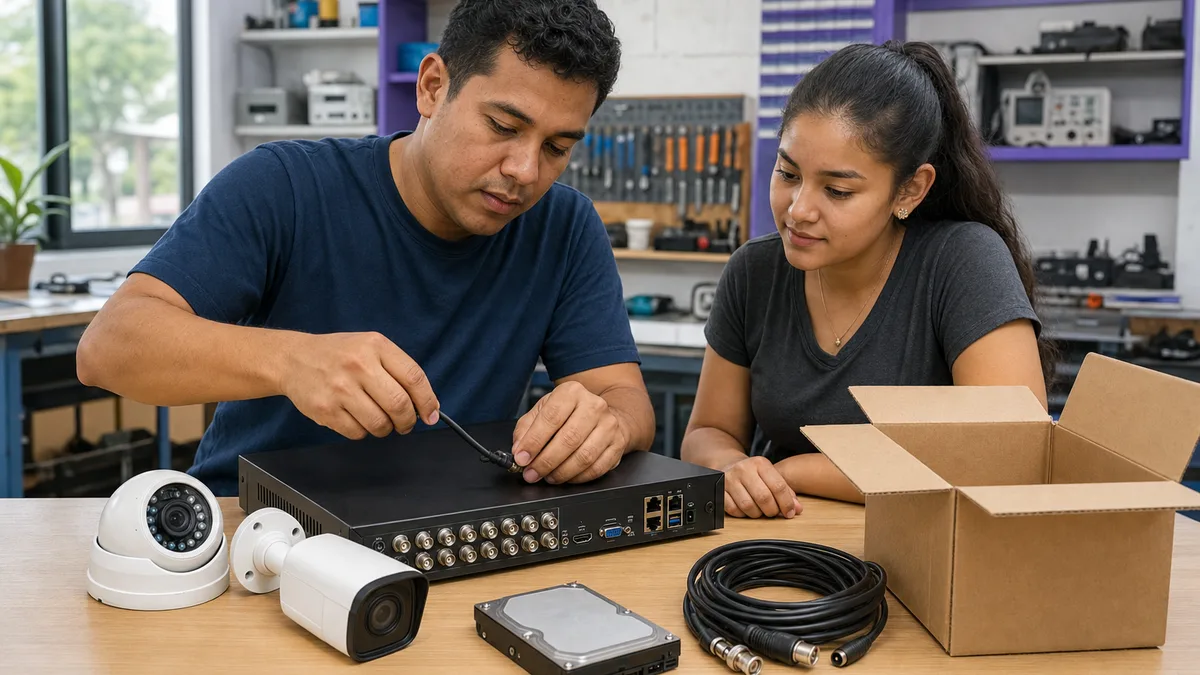
You do not need to guess whether every part is useful. Prepare a list covering:
- analog, HD-over-coax, or IP cameras;
- DVRs or NVRs, including brand, model, and channel count;
- installed or removed hard drives and camera microSD cards;
- power supplies, adapters, PoE injectors, or PoE switches;
- baluns, connectors, remotes, mice, and identifiable cables;
- mounts, boxes, or external parts that belong to the system;
- known faults, visible damage, and the approximate date of last use.
An overview photo and a clear picture of each model label can help with assessment. Do not post serial numbers, passwords, pairing QR codes, footage of people, or camera addresses in a public listing. Share them only if Crezendo requests them through the agreed channel and they are necessary.
How to remove the system without creating a hazard
Before dismantling anything, identify whether cameras use low voltage, PoE, coaxial cable, or a separate power source. Shut the system down normally and avoid working on energized conductors. If cameras are on roofs, façades, poles, or hard-to-reach areas, use an installer to remove them; a donation is never worth a fall or electrical injury.
Do not force connectors or cut every cable without labels. Marking the camera, channel, power supply, and matching accessory helps explain the set later. Protect lenses and connectors from impact, but do not seal equipment in a bag while it is still damp. Report any exposure to rain, flooding, smoke, or pests.
Protect recordings, users, and linked accounts
1. Determine which recordings must be kept
Review your household, condominium, or company policy before erasing anything. Export only material you are authorized to retain and verify that the file opens. If footage relates to an investigation, a contractual duty, an authority's request, or a retention policy, stop and consult the organization's legal or security owner.
Crezendo does not replace that decision and should not receive a drive containing sensitive video by accident. For business equipment, record who authorized disposal and which storage media will accompany the recorder.
2. Revoke remote access and shared users
Delete temporary or shared users through the official interface, remove the device from the owner's app, and disable P2P or cloud pairing where the manufacturer supports it. Changing one password does not necessarily remove secondary accounts. Reolink's official instructions for deleting users or canceling shared access illustrate why the steps depend on the product.
Review integrations with assistants, alarms, email, network storage, or management platforms as well. Never hand over passwords, recovery codes, or credentials for your personal account with the device.
3. Reset cameras and the recorder using the exact manual
Find the model in the manufacturer's documentation and follow its procedure. A factory reset may remove the IP address, users, and other settings. For example, Axis's official factory-reset documentation explicitly states that all settings, including the IP address, return to their defaults.
Do not reuse button sequences, timing, or menus from another brand. Afterward, verify that the device no longer appears in your app and that it requests initial setup. If you cannot log in because the password is lost, disclose that fact; do not use untrusted tools to bypass authentication.
4. Treat the hard drive and microSD card as separate media
Resetting a recorder does not prove that recordings were sanitized. Some systems provide HDD initialization or formatting. Hikvision's official NVR manual documents drive initialization from its storage-management interface, but the menu and exact effect vary by model.
For ordinary home footage without special requirements, follow the manufacturer's official erasure instructions and verify the result before transferring the drive. For business recordings, biometrics, minors, health settings, restricted areas, or other highly sensitive footage, use the organization's policy and a method appropriate to the risk. NIST SP 800-88 Rev. 2 explains that sanitization must make access to the data infeasible against a defined level of effort; it does not make every operation labeled “format” a secure erase.
If you cannot demonstrate sanitization, one option is to donate the recorder without its drive and state that in the inventory. Removal should be performed by an authorized person familiar with the equipment and precautions against electrical discharge and physical damage. For a deeper explanation, read how to protect data on used drives and the guide to donating equipment without a hard drive.
What if the system is incomplete or does not work?
A diskless DVR, a camera without a power adapter, or a set with failed channels can still be presented for evaluation. Report the facts accurately:
| Situation | What to disclose |
|---|---|
| Recorder powers on | model, channel count, outputs, and observed faults |
| It does not power on | last known operation and any smell, heat, liquid, or impact |
| No hard drive | that storage was removed and is not part of the donation |
| Power supply is missing | visible voltage or specification, without trying random adapters |
| Cameras are disconnected | signal type, connector, stated resolution, and lens condition |
| Business system | inventory, disposal authorization, and media-sanitization status |
Do not claim that a part “only needs a repair” without a diagnosis. Do not test incompatible power supplies, bridge wires, or open power units. An honest condition report is more valuable than an improvised test.
How donated equipment may help
Depending on condition and current needs, components may support demonstrations of video-surveillance concepts, connector identification, cable organization, fault diagnosis, isolated networking, or technical practice. They may also help compare analog and IP cameras or local recording and remote access.
That potential must be assessed without connecting an unknown device directly to a live network or retaining the donor's credentials. Donation does not guarantee repair, use by a specific person, or installation at another organization. For broader context, see the educational impact of donating technology.
How to start a donation with Crezendo
1. Summarize the inventory
List quantities, brands and models, whether the devices power on, included accessories, damage, and the presence of HDDs or microSD cards. For equipment owned by a company or condominium, confirm that disposal is authorized.
2. Describe the data status
Use a precise statement: “HDD removed,” “drive sanitized under our internal policy,” “we could not access the recorder,” or “camera removed from the account.” Do not type passwords or attach recordings.
3. Confirm the next step
Crezendo can guide the assessment and available handoff method after learning about the lot. Do not take it to an assumed address, ship it, or book transportation before receiving confirmation.
4. Pack only after coordination
Separate the recorder from cameras, protect lenses, group labeled accessories, and prevent metal connectors from striking enclosures. Clearly mark untested devices, prior moisture exposure, and storage that was not sanitized.
When to consider electronics recycling
Donation and reuse take priority when they are safe and viable. The EPA recommends deleting personal information before donating or recycling electronics and explains that reuse can extend the life of valuable materials.
Consider a specialized recycler only as a last option if Crezendo confirms that there is no viable path for reuse, diagnosis, parts, or practice. Independently verify that the provider accepts that category and can handle data-bearing media. Do not place cameras, recorders, drives, or backup batteries in household trash.
Frequently asked questions
Can Crezendo evaluate cameras or recorders that do not work?
You can ask about the lot and describe the faults. Failed equipment may retain technical value, but evaluation does not guarantee acceptance, repair, or a specific final use.
Can I donate a DVR or NVR without its hard drive?
You can present it for evaluation and disclose that the drive was removed. The article about equipment without a hard drive explains the benefits and limits of that choice.
Does a factory reset erase the recordings?
Do not assume so. A factory reset generally addresses configuration, while the HDD or microSD card requires a separate procedure. Consult the exact model manual and the applicable data policy.
Does Crezendo issue a DVR erasure certificate?
This article does not promise an erasure service or certificate. The donor remains responsible for recordings, accounts, and media before handoff, or for clearly declaring that those steps could not be completed.
Should I include power supplies, cables, and connectors?
List them for evaluation if they belong to the system and do not present hazardous damage. Label which device they match, and never test random adapters.
Can a business or condominium donate a batch?
You can inquire. First confirm disposal authorization, inventory, retention policy, and media-sanitization status. Crezendo will coordinate the next step after learning the volume and condition.
Ask Crezendo about donating your cameras and DVR
Prepare the inventory, resolve recordings and accounts as far as you safely can, and disclose any removed HDD or device you could not reset. That transparency supports an assessment without putting your information or equipment handlers at risk.
Ask how to donate security cameras and a DVR to Crezendo
You do not need to promise that everything works. You do need to describe what you know, avoid hazardous repairs, and wait for coordination before dismantling, moving, or shipping the system.