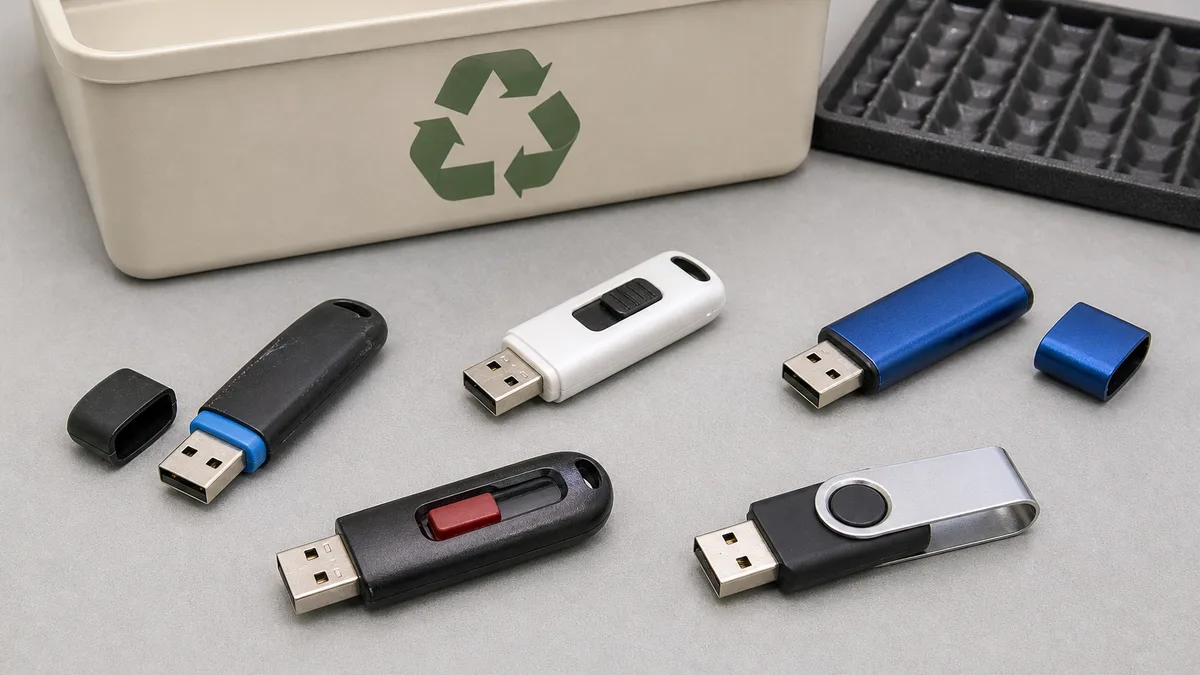
A USB drive may look like a simple object, but two separate questions should be resolved before offering it to someone else: does it still work reliably? and can it leave your control without exposing information? Deleting files in a file browser or performing a quick format does not answer either question by itself.
This guide presents a cautious process for a drive that belongs to you and has a known origin. It does not promise that every device will be accepted, repaired, or reused, nor that one generic procedure makes every bit unrecoverable. Flash storage manages its cells internally, and different models can behave differently.
Start by identifying where the drive came from
Do not connect a found, abandoned, or unknown USB drive to your main computer. The risk is not limited to losing files: removable media can carry malicious software and enable unauthorized extraction of information. NIST SP 1334, published in September 2025 for operational technology (OT) environments, documents these risks and the need for procedural, physical, and technical controls. Although its specific scope is OT, the cautious principle here is broader: do not treat removable media of unknown origin as trusted.
If the drive was yours, or belongs to an organization that authorized you to handle it, record the following before testing:
- brand, stated capacity, and connector type;
- owner or department of origin;
- whether it may have held personal, financial, medical, employment, or credential data;
- last known use and observed symptoms;
- whether another copy of the files exists;
- sanitization method, date, and result.
A label or small bag for each unit helps keep reviewed devices separate from pending ones. When managing several assets, assign an identifier and keep the log elsewhere; do not write passwords or sensitive details on the drive itself.
Decide whether connecting it is reasonable
Inspect the device without opening it. A bent, corroded, burned, or loose connector; a melted enclosure; a burned smell; moisture; or loose internal parts are reasons to stop. Forcing a damaged drive can harm the USB port or worsen a fault that still allowed data recovery.
For your own known and physically sound drive, testing should take place on an updated computer intended for that task, not on the machine that holds your important files. Disable automatic execution, keep security software active, and do not open executables, shortcuts, or macro-enabled documents simply to “see what is there.” In a business environment, follow the technology owner's policy instead of improvising.
A drive that repeatedly appears and disappears, disconnects when moved, reports changing capacity, unexpectedly becomes read-only, or produces repeated errors is not a reliable candidate for handoff as reusable storage. Those symptoms also make sanitization less certain.
Back up before erasing
If the files matter, copy them to an independent destination first. Do not declare the copy complete merely because a progress bar reached 100 percent: open a representative sample and confirm that critical files are readable. When their value warrants it, compare sizes or hashes and perform a test restoration from the backup.
Leave the original drive unchanged until the copy is proven adequate. If the drive is failing and the data is important, stopping home experiments may be wiser than continuing. A specialist consultation does not guarantee recovery, but it can prevent repeated tests from aggravating certain failures.
Also check beyond the obvious folders: hidden files, browser exports, database copies, cryptographic keys, configured installers, scanned documents, and automatic backups. Do not transfer a drive that remains your only copy of something you need.
Classify the information risk
Not every USB drive calls for the same decision. A practical classification helps avoid treating a public presentation like medical records or access keys.
Low risk: public or replaceable files with no personal data or credentials. A properly completed and checked logical-clearing process may be proportionate, provided the owner's policy permits it.
Moderate risk: personal documents, private photographs, customer data, contracts, or internal information. Here, the device's actual capabilities must be understood, the process documented, and the outcome validated.
High risk: authentication secrets, medical or financial information, regulated records, private keys, identity documents, or data whose disclosure could cause serious harm. If no reliable and authorized method exists for that model and context, the cautious option is not to donate the drive as reusable media. It should remain controlled or follow an appropriate destruction and disposal process.
The classification must consider what may once have been stored, not only what is visible now.
Deleting files is not the same as sanitizing
Deleting a folder usually removes file-system references; it does not necessarily overwrite all associated data immediately. A quick format or recreated partition table is not, by itself, a sanitization guarantee either.
The current NIST SP 800-88 Revision 2, finalized in September 2025, structures sanitization around three outcomes: Clear, Purge, and Destroy. Selection depends on sensitivity, media type, capabilities, condition, and organizational obligations. This revision also shifted emphasis away from universal recipes toward a sanitization program, outcome validation, and trust in vendor implementations or applicable technical standards. NIST defines Clear as logical techniques that sanitize data in user-addressable locations against simple, non-invasive recovery.
That does not turn a universal command into a solution for every USB drive. In flash storage, the controller may redistribute writes for wear leveling and maintain spare areas that the operating system cannot directly address. NIST's technical bulletin on media sanitization explains why media characteristics affect method effectiveness.
Consequently, one pass of zeros, many passes, or a tool with a persuasive name should not be described as making recovery “impossible” without device-specific evidence. Repeating writes indefinitely is not good practice either: it adds wear and may still fail to address controller-managed regions.
Choose a proportionate, documented method
Begin with the applicable policy. In a business, school, clinic, or public institution, the information owner must authorize the method and final destination. If asset inventory, chain of custody, or legal duties apply, do not replace them with a personal decision.
For a physically stable personal drive with low-risk data and no organizational restriction, an operating-system clearing operation may be sufficient for the defined objective. The operator should then verify that it finished without errors and that the drive no longer exposes the previous content through ordinary mounting.
For moderate- or high-risk data, consult the manufacturer's documentation and a standards-based sanitization policy. Some specialized drives provide controller-managed erasure or encryption functions; others do not. Cryptographic erasure makes sense only if the data was properly encrypted from the beginning, the relevant keys can be eliminated, and the implementation is trustworthy. Do not assume that every thumb drive meets those conditions.
If the device is unresponsive, reports inconsistent capacity, is stuck read-only, or cannot complete and validate the procedure, do not hand it over as reusable storage when it may have contained sensitive information. Destroy may be the proper outcome within an authorized process, but that does not mean drilling or burning a drive at home. These devices rarely contain batteries, yet their plastic, metal, and electronics still call for safe handling and disposal consistent with available local options.
Validate the process without impossible promises
Validation does not mean asserting that no person using any present or future technique can ever recover a bit. It means collecting reasonable evidence that the selected procedure ran as intended and met its defined objective.
At minimum, record:
- the drive identifier;
- the information classification;
- the tool, function, and version used;
- the date, operator, and operation result;
- errors, warnings, or capacity changes;
- the post-process verification and final decision.
After sanitization, disconnect and reconnect the drive in the controlled environment. Confirm that the system recognizes the expected capacity, that the previous folders are not ordinarily visible, and that a small non-sensitive write-and-read test finishes without errors. This basic test evaluates function; it does not prove forensic absence of data.
Organizations handling sensitive information should validate according to policy and may require independent review, sampling, or specialized tools. Retain the record where required, but do not place secret content extracted from the drive in that record.
Decide whether it remains useful to someone else
A reusable drive should be predictable, not merely detectable. Test the connection more than once, copy a non-sensitive test set, eject the device correctly, and verify that the files reopen. If it becomes unusually hot, disconnects, corrupts files, or performs extremely slowly, describe it as faulty rather than functional.
Do not inflate its capacity or infer speed from connector shape. USB-C identifies a connector; it does not guarantee a protocol generation or performance level. Likewise, a very small, old drive may not be practical for the intended recipient. Confirm the destination before investing work in accessories or packaging.
Hand over only the drive and, when useful, a non-sensitive note listing stated capacity, test date, and observed limitations. Do not preload software, books, courses, operating systems, or “educational” bundles unless an identified recipient requested them and distribution rights are clear. Responsible donation should not rely on assumptions about communities, students, or future use.
Ask before traveling
Acceptance depends on current need, capacity, condition, privacy, and available handling options. A form submission is not an approval and does not guarantee pickup, erasure, repair, reuse, a certificate, or a particular destination.
Prepare this information before offering the device:
- a clear photo of the drive and connector;
- brand and stated capacity;
- number of units;
- physical condition and symptoms;
- known or unknown origin;
- confirmation that you are authorized to dispose of it;
- a general risk classification, without transmitting files or sensitive data;
- any procedure already performed.
You may ask Crezendo about a possible donation with those details. Wait for a response before transporting anything. If you are also sorting peripherals, see the guide to USB hubs and adapter cables; for other components, the used RAM guide helps keep inventories separate. Historical media needs different care, as the old Apple II guide illustrates.
Final checklist before releasing the drive
- Its origin is known and you are authorized to dispose of it.
- It has no damage that makes connection unsafe.
- Everything that must be retained has a verified backup.
- Risk was classified using both current and previous possible data.
- The selected method fits the media, policy, and sensitivity.
- Execution and validation were recorded without overstating their reach.
- Functional testing found no disconnections or corruption.
- A potential recipient confirmed interest before transport.
- No passwords, keys, personal information, or unlicensed content remains.
- If sanitization could not be validated, the drive is not offered for reuse.
Donation is not always the best decision. Sometimes the right outcome is to keep the drive, return it to its owner, arrange controlled destruction, or find an appropriate electronics-disposal option. Treating privacy, function, and acceptance as separate decisions supports a sound result without turning a good intention into a risk for either party.