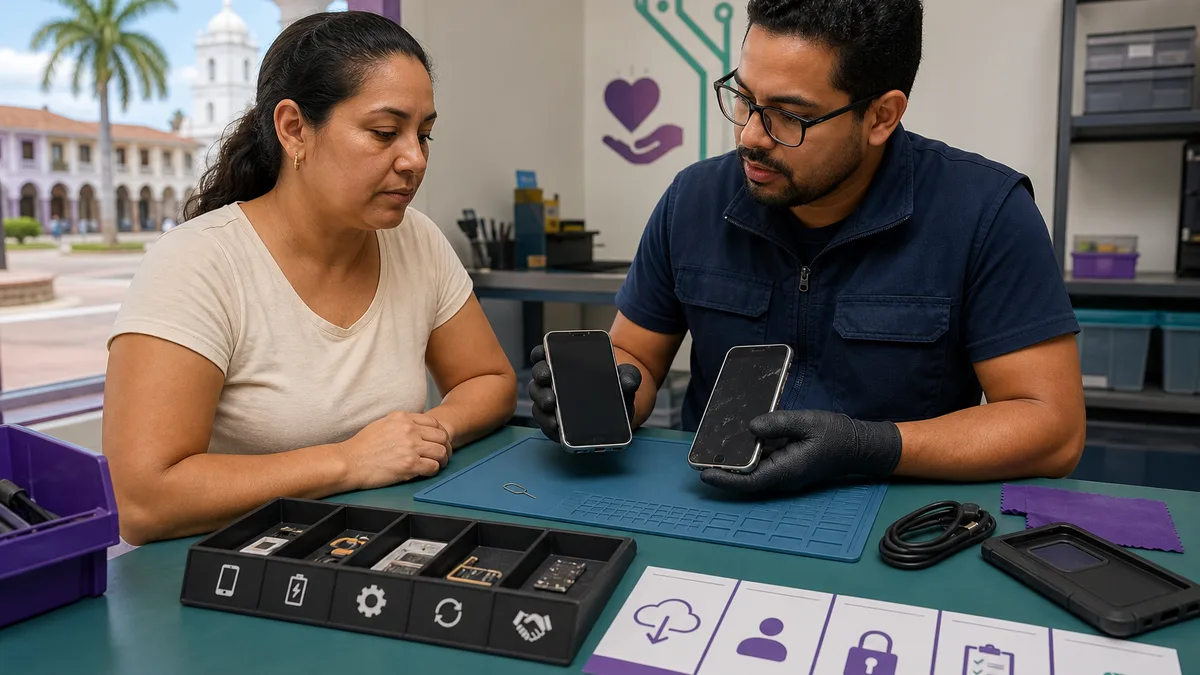
An old phone is not automatically waste. It may still work, need a reasonable repair, support diagnostics training, or contain useful parts. The right decision depends on two matters that must be addressed before handing it over: the condition of its battery and the protection of your data.
If the device is stable and shows no sign of battery damage, Crezendo can be the first place to ask about a donation in Panama. A working phone, a device that will not turn on, or one with a cracked screen may retain educational or technical value. Its condition and delivery route must be confirmed before it is moved; not every phone will have the same final use.
Quick answer: assess the phone before discarding it
Inspect the device without opening it or attempting an improvised repair:
| Observed condition | Recommended next step |
|---|---|
| It turns on, charges, and responds | Back it up, unlink accounts, erase it, and ask Crezendo about donation |
| Cracked screen, worn battery, or charging fault, but no dangerous signs | Do not discard it; describe the fault and request an initial assessment |
| It will not turn on and the cause is unknown | Keep the device, protect your accounts, and ask before handing it over |
| Swollen, punctured, hot, odorous, smoking, or fire-damaged battery | Do not charge, start, open, ship, or carry it as a normal donation; obtain specialized instructions |
Age alone does not determine the destination. A phone with no value as a daily device may still help someone practice disassembly, identify components, or diagnose faults. Safety does change the decision.
What to do based on the condition of your old phone
1. It works and can still be used
First decide whether you genuinely need it as a backup phone, temporary camera, local media player, or test device. Keeping it only makes sense if you will maintain it, charge it safely, and inspect it periodically; storing it for years while its battery deteriorates is not a plan.
If you no longer need it, you can sell, trade, or donate it. Selling requires valuing the model and managing listing, payment, and delivery. A trade-in program depends on current conditions and is usually connected to a purchase. Donating to Crezendo lets you ask whether the phone can support educational or technical activity without estimating a sale price.
2. It appears to have a repairable fault
A cracked display, faulty camera, short battery life, or charging-port problem does not make a phone useless. It also does not prove that repair is worthwhile: the cause, parts availability, and overall condition must be diagnosed.
Do not put metal objects into the connector or force a cable. If charging is the main symptom, learn how to diagnose a faulty charging port without replacing a technical assessment. When describing a donation, state exactly what you observe and do not claim that it “only needs one part” unless that has been confirmed.
3. It will not turn on or its condition is uncertain
A silent device may have an empty battery, a display with no image, liquid damage, a board failure, or several combined causes. If there is no swelling, heat, odor, or other dangerous sign, ask Crezendo before discarding it: the phone may support diagnosis or practice even if it never operates as a handset again.
The main challenge is the stored information. If you cannot unlock and erase the device, do not assume that a remote reset has already occurred. Explain the situation before handing it over and decide whether the data risk permits the donation to continue.
4. It shows signs of battery damage
A lifting case, separating screen, swelling, unusual heat, hissing, chemical odor, leakage, puncture, smoke, or fire marks are reasons to stop using the phone. Do not press the case closed, puncture the battery, attempt to remove it, or continue charging the device.
The U.S. Environmental Protection Agency warns that lithium-ion batteries should not go into household trash or recycling bins because they may be damaged or start fires during handling. A phone in this condition must not follow the normal donation or shipping process. Move it away from combustible material only if that can be done without risky handling, and request instructions from the manufacturer, emergency services if there is an immediate threat, or a qualified handler of damaged batteries.
Why ask Crezendo about donation first
Crezendo receives phones and other technology for potential educational, diagnostic, and repair-practice uses. This provides an option before treating imperfect hardware as waste. A phone with a cracked screen may help demonstrate an assembly; one that does not charge can form a diagnostic case; a working model may retain direct utility.
Donation does not promise one particular outcome. Use depends on condition, safety, compatibility, and current needs. That is why the route begins by describing what you have and waiting for confirmation—not by arriving at an unconfirmed location or shipping the device independently.
If you also have a connected watch in a drawer, see what to do with an old smartwatch. Although both devices use rechargeable batteries and online accounts, their assessment and erasure steps are not identical.
How to protect your data before donating the phone
A factory reset should be the last step, not the first. Perform this process only when the phone is stable, shows no sign of battery damage, and can follow its manufacturer's instructions.
1. Back up and verify
Copy photographs, videos, contacts, documents, conversations, and any files you want to retain. Verify from another device that the backup opens correctly. Review authenticator, banking, wallet, work, and health apps: some require you to transfer credentials or deactivate the old phone before erasing it.
2. Move important services
Confirm that your new phone receives calls and verification codes. Transfer the eSIM through your carrier when applicable. Review passkeys, two-factor authentication, and applications that authorize only one device.
3. Sign out and remove activation locks
For iPhone, Apple instructs owners to back up, transfer information, sign out, remove the Find My link during erasure, and remove the phone from trusted devices. Follow Apple's current guide on what to do before giving away an iPhone.
On Android, remove personal and work accounts through the options documented by the manufacturer. This removes synchronized information from the phone and reduces the risk that reset protection prevents future setup. Google explains how to remove an account from Android.
4. Reset through Settings
Use “Erase All Content and Settings” on iPhone or the factory-reset option on Android. Google notes that the process deletes local data and recommends knowing the account credentials and checking the manufacturer's directions because menus vary. See the official guide to factory-resetting Android.
When it finishes, verify that the initial setup screen appears instead of your lock screen, photos, or applications. Do not sign back in “to test it”; doing so would link your data again.
5. Remove personal items
Take out the physical SIM and microSD card. Remove the case, but keep a charger or cable if you want to offer it and it is in good condition. Never include notes containing passwords, PINs, security answers, or recovery codes.
For a broader discussion, read how to protect your data before donating a device. A modern phone and an external drive are not erased in the same way, but the essential rule is shared: the owner must decide and verify how their information is handled before releasing the equipment.
What if the phone cannot be erased?
If the display does not respond but the phone turns on, ask the manufacturer or a qualified technician which official method applies. If the device is no longer under your direct control, Apple and Google offer remote-erasure features, but these depend on the account, earlier configuration, and the device being able to connect.
Changing an account password can limit future access, but it does not prove that local files were erased. If you cannot verify a reset, disclose that condition to Crezendo before coordinating. Do not hand over a phone containing sensitive data on the assumption that someone else will erase it later.
Checklist for preparing a safe phone
- The device shows no swelling, heat, odor, leakage, puncture, smoke, or fire damage.
- The backup was completed and verified from another device.
- Authenticator, banking, and work apps were migrated.
- Accounts and activation locks were removed.
- The official erase process was completed and the setup screen appears.
- The SIM and memory card were removed.
- The brand, model, and known faults were recorded without credentials.
- Offered accessories are identified and have no exposed wires or dangerous damage.
- Crezendo confirmed how to proceed before the phone was carried or shipped.
Donate, reuse, repair, sell, or recycle
| Option | Appropriate when | What to confirm |
|---|---|---|
| Donate to Crezendo | The phone is safe and may have value for use, diagnosis, parts, or practice | acceptance and delivery route |
| Reuse | You have a specific purpose and the device can receive the maintenance it needs | battery, safety, updates, and actual use |
| Repair | Diagnosis shows a reasonable solution relative to value and expected useful life | cause, total cost, parts, and warranty |
| Sell or trade | It works and you want to recover economic value | current terms, secure payment, and complete erasure |
| Specialized recycling | Crezendo confirms it cannot use the phone, or it has no safe reuse path | qualified handler and separate battery handling |
Do not place the phone in household trash, a general recycling bag, or an unattended donation box without disclosing its condition.
Frequently asked questions
Where can I donate an old phone in Panama?
Start on Crezendo's donation page. Describe the brand, model, whether it starts, visible faults, and battery condition. Wait for coordination before moving it.
Can Crezendo assess a phone that will not turn on?
You can ask about a non-starting phone because it may retain technical or diagnostic value. Assessment does not guarantee repair, reuse, or a specific individual destination.
Can I donate a phone with a cracked screen?
A cracked screen does not automatically disqualify it. Protect sharp edges without opening the phone, report the damage, and follow the confirmed route. If the screen is separating because of internal swelling, treat it as a possible damaged battery rather than a normal donation.
Should I remove the SIM and external memory?
Yes. The SIM belongs to your mobile service, and a microSD card may retain photographs and documents even after some operations performed on the phone.
Can I include chargers, cables, and accessories?
You may mention them in the initial request. Identify which phone they belong to and do not include accessories that overheat, are deformed, have burned connectors, or expose conductors.
When is electronics recycling appropriate?
It is the final route when the phone cannot be used safely or Crezendo confirms it has no use for it. Choose specialized handling that accepts devices containing lithium batteries; never use household trash or recycling.
Donate your old phone to Crezendo
If the phone is stable and you have resolved its data, gather the basics: brand, model, condition, known faults, and accessories. Say if it will not turn on; say if the display is cracked. That accuracy supports a safe decision without promising the same destination for every phone.
Ask how to donate your old phone to Crezendo
Do not open, ship, or carry the phone to an assumed location before receiving confirmation. A short coordination step protects your data, the person receiving the device, and the possibility that the phone still has a useful role.