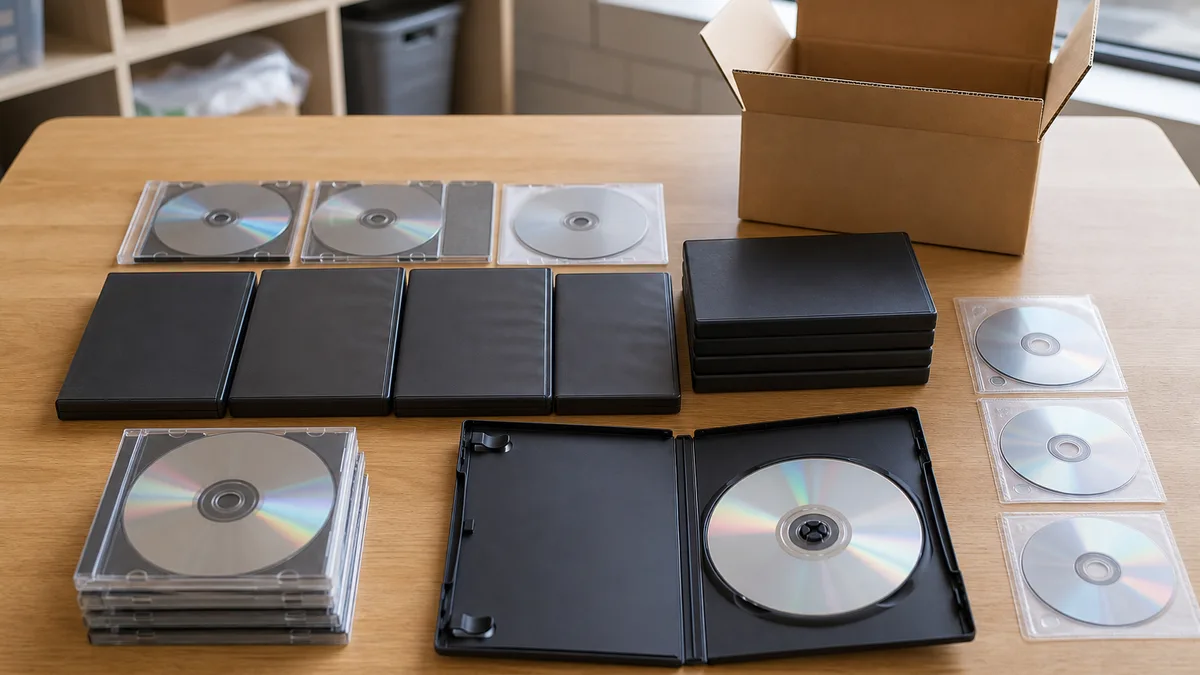
Music CDs, movie DVDs, installation discs and physical video games are not all alike. A commercially pressed disc may be collectible; a CD-R may hold personal photos, invoices or backups; and a modern game may depend on an account or key that does not transfer with the box. Before donating, separate the physical object, the data and the license.
This guide explains how to prepare a donation inquiry for Crezendo in Panama. It does not assume that every format or condition will be accepted: send a short inventory first and wait for confirmation. Crezendo does not guarantee data erasure, repair, collection, reuse or a specific destination for any item.
Quick answer: can these items be donated?
You may ask about CDs, DVDs, Blu-ray discs, disc- or cartridge-based video games, cases, cover art and manuals. Whether Crezendo can receive them depends on their condition, the available set and the usefulness determined during an evaluation.
Before contacting Crezendo:
- Separate commercial discs from home-recorded media.
- Set aside any medium that may contain private files.
- Do not send passwords, recovery codes or credentials.
- Keep the case, cover, manual and related accessories together.
- Photograph the lot without exposing keys, names or other personal data.
- Describe its condition honestly; you do not need to test an unsafe or visibly damaged disc.
If you also have old PC software, see the specific guide to donating old PC game CDs. This article covers mixed lots and the general process.
Start by identifying what you have
Classification keeps a potentially preservable collection separate from media that needs privacy treatment.
| Category | Examples | What to check |
|---|---|---|
| Pressed commercial discs | Music, movies, physical games | Title, platform or region, case, manual, scratches and apparent authenticity |
| Recordable discs | CD-R, DVD-R, DVD+R | Whether they contain photos, documents, personal installers or backups |
| Rewritable discs | CD-RW, DVD-RW, DVD+RW | Whether information remains; deletion does not automatically equal adequate sanitization |
| Cartridges | Handheld or retro consoles | Label, shell, contacts, region and possible saved game data |
| Supporting material | Cases, cover art, maps, manuals | Match to the title, moisture, mold, notes and printed keys |
| Empty containers | Cases or covers without discs | Title, platform and condition; they may be useful but need separate evaluation |
Record approximate quantities and notable titles. For a large lot, you do not need to transcribe every song or movie. General photographs, formats, platforms and an estimate of volume are enough for an initial inquiry.
Privacy: a commercial CD is not the same as a CD-R
An original music, movie or game disc normally contains the published product, not your personal documents. User-recorded media, however, may contain years of forgotten files. Check the label and type printed near the center: CD-R, CD-RW, DVD-R, DVD+R, DVD-RW or DVD+RW identifies recordable or rewritable media.
Before donating one of those discs:
- Review its contents only on a trusted, up-to-date computer if you can do so safely.
- Do not run unknown executables or disable protection to test them.
- Copy only your own files that you truly need to keep to a safe destination.
- If it contains personal, financial, medical, employment or third-party data, keep it out of the lot until sanitization is resolved.
- Do not assume that deleting files, performing a “quick format” or erasing a recording session makes the information unrecoverable.
NIST SP 800-88 Rev. 2 defines sanitization as a process that makes access to target data infeasible for a given level of effort. The suitable technique depends on the medium and the sensitivity of the information. For sensitive information on a write-once disc, the prudent answer may be not to donate it as reusable media and to use an appropriate destruction method outside the donation process.
Crezendo does not promise erasure or certified destruction here. Responsibility for removing or protecting data remains with the donor unless a different arrangement is explicitly confirmed.
Accounts, keys and licenses: what does not automatically travel with the disc
Owning a box or disc does not mean owning every right in the work or being allowed to transfer a digital license. In Panama, Law 64 of October 10, 2012, identified by WIPO Lex as the country’s main copyright and related-rights legislation, is the legal point of reference. The publisher, platform and license agreement may also impose specific conditions.
As a practical rule:
- Donate only legitimate originals that belong to you; do not include unauthorized copies.
- Do not publish or photograph product keys, download codes or serial numbers.
- Check whether a code has been used, is linked to an account and may be transferred under its terms.
- Sign out and unlink a console or device when the manufacturer allows it, but do not hand over the password.
- Never include authentication codes, security answers or payment data.
- Do not promise the recipient access to downloadable content, online servers or services that may have closed.
The U.S. Copyright Office distinguishes a material object from the copyright embodied in it. This is a comparative reference, not Panamanian legal advice, but it supports a conservative practical conclusion: transferring the physical disc should not be treated as an automatic transfer of reproduction rights, accounts or licenses. For an item with significant commercial or legal value, review the rights holder’s terms and obtain qualified advice.
How to preserve discs, cases and manuals
Do not test a cracked, warped or delaminating disc. It may fail and could damage an optical drive. For stable items, a few simple measures protect the set:
- Wash and dry your hands thoroughly before handling it.
- Hold a CD or DVD by its edge and center hole without touching the playing surface.
- Keep it in a case that secures the center; do not leave it loose in a bag.
- Store formats upright in a clean, dry and stable place.
- Avoid direct sunlight, heat, extreme humidity, leaky attics or basements, and pressure from heavy objects.
- Do not add tape or new adhesive labels to the disc.
- Keep the disc, case, cover and manual together, but isolate damp or moldy paper.
These practices follow the Library of Congress guide to caring for audiovisual materials, which recommends handling optical discs by the edge and center, avoiding the playing surface, and using a clean, relatively dry and stable environment. It also considers cases that secure the disc at the center acceptable.
If you have console documentation, the guide to donating retro games and manuals explains why a case or manual may provide useful context even when hardware is evaluated separately.
Assess condition without making it worse
Use a visual inspection under indirect light. There is no need to polish or open anything.
Reasonable condition for an inquiry
- Complete disc without cracks or warping.
- Legible label with no obvious separation.
- Surface scratches described clearly.
- Case, cover or manual available, even with normal wear.
- Dry cartridge with no visible corrosion or loose parts.
Conditions to disclose and isolate
- Cracks extending from the hub or edge.
- Warped, burned, sticky or delaminating discs.
- Mold, moisture, residue or a strong odor.
- Private data that remains accessible.
- Copies of uncertain origin.
- Unresolved keys, accounts or credentials.
Do not use abrasive products or improvised polishing machines. Do not test unknown software on your main computer. An honest description and privacy-safe photographs are usually more useful for the first inquiry than a risky test.
What to tell Crezendo
A concise inquiry helps determine whether a next step makes sense. Include:
- approximate quantity;
- medium type: CD, DVD, Blu-ray, game disc, cartridge, case or manual;
- main titles or platforms;
- whether they are commercial originals, recordable media or a mixture;
- visible condition and missing pieces;
- whether personal data, keys or associated accounts exist;
- general photographs without sensitive information;
- the city or general area where the items are located.
Do not send the files themselves, product keys, passwords or identity documents through the form. Crezendo can review the inquiry and confirm which items it wants to evaluate and how to proceed. An inquiry does not equal automatic acceptance and does not guarantee transportation or collection.
If the lot includes controllers or consoles, also see the guide to donating games, consoles and controllers. Magnetic media needs a different process; read how to donate old floppy disks with games responsibly.
If the material is not accepted
Do not throw it away immediately or send it without confirmation. First resolve private data and separate historically or documentarily significant pieces. If Crezendo cannot receive the material after evaluation, look for an authorized local alternative appropriate to its composition and confirm that provider’s current conditions directly. Not every optical disc belongs in the same processing stream as electronic equipment.
For media with sensitive information, prioritize a sanitization or destruction method suitable for your risk. For moldy, contaminated or broken materials, avoid exposing the rest of the lot and do not attempt hazardous home repairs.
Frequently asked questions
Can I donate a CD-R or DVD-R containing personal files?
Not while the data remains accessible. Separate the disc, recover only the files you need, and determine a sanitization method appropriate to the medium and sensitivity. A write-once disc does not become safe merely because file names were deleted.
Will Crezendo erase or destroy my discs?
Do not assume so. This page does not offer guaranteed erasure, recovery or certified destruction. Resolve privacy before handing over the medium, or ask explicitly and wait for an answer.
May I include a product key?
Do not publish it or send it in a photograph. First check the publisher’s terms and whether the key is linked to an account. The physical disc, key and license can follow different rules.
Are scratched discs or empty cases useful?
You may include them in the inquiry, but acceptance is not automatic. Describe scratches, missing parts and damage. A related case or manual may have documentary value, while a cracked disc should stay out of an optical drive.
Must I test every disc?
No. Do not test broken discs or unknown software. State that they are untested. A visual assessment and clear inventory are enough to begin the conversation.
Can I donate copied movies or games?
Do not include unauthorized copies. Limit the inquiry to legitimate originals, your own material and media whose origin you can explain.
Request an evaluation before moving the lot
Prepare the inventory, separate media with data or credentials, and keep original components together. Then use the Crezendo donation page to describe what you have. Wait for confirmation before packing or transporting anything: that protects your privacy and avoids promising a use that has not yet been evaluated.