If your shop, warehouse, or office replaced its POS system, do not hand off its barcode scanners blindly or discard them yet. First identify each model, gather its accessories, run a simple test, and ask Crezendo to review the information. We can then confirm whether the equipment can be evaluated and agree on the next step. Submitting the form is not automatic acceptance.
Why evaluate a scanner before discarding it
A used scanner may still support practice with checkout, inventory, labeling, and peripheral integration. Even a unit that does not fit a modern deployment can sometimes help with connection, configuration, or fault diagnosis, but its usefulness depends on the exact model and its real condition.
An initial evaluation prevents two common mistakes: discarding a working peripheral or moving an incomplete device that cannot be tested. It also separates the scanner from other POS components that may contain sensitive information. If you are replacing a complete installation, see our guide to donating used office equipment in Panama.
Crezendo may consider equipment for reuse, diagnosis, parts, or educational activity. Its destination is decided after review; we cannot promise in advance that every scanner will be received, repaired, or assigned to a specific program.
Identify the kind of equipment you have
“Barcode scanner” can refer to very different devices. Record the brand and exact model from its label and, if possible, classify it:
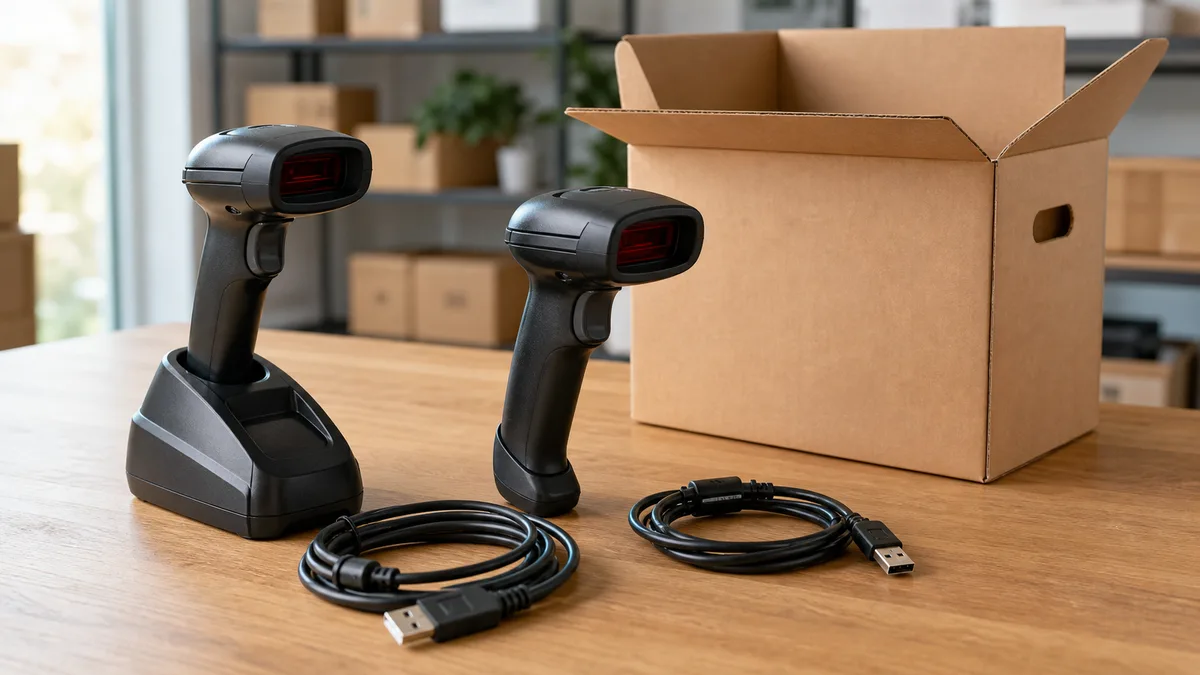
- Corded handheld scanner: often connects by USB, but older models may use a keyboard interface, RS-232, or a proprietary cable.
- Wireless scanner: may require its cradle, USB receiver, power supply, and battery. Bluetooth does not mean it works without the model's pairing procedure.
- Presentation or counter scanner: designed for fixed use and may need its own mount or power arrangement.
- Scanner integrated into a POS: document how it was connected and which pieces belong to the assembly before removing it.
- Mobile inventory computer: includes a screen and operating system. Treat it as a computing device because it may retain networks, accounts, files, or records.
- Industrial or fixed-mount scanner: may rely on drivers, Ethernet, industrial power, or manufacturer software.
Supported barcode types matter too. Software cannot turn a 1D reader into a 2D imager, and not every imager reads codes from a screen. Record only what you tested; do not infer capability from appearance.
Minimum inventory for an evaluation request
A short equipment sheet makes coordination far more useful. Include:
- Exact brand and model.
- Number of units.
- Visible connection type: USB, serial, Ethernet, Bluetooth, or another interface.
- Condition: tested and working, powers on but does not scan, untested, or damaged.
- Accessories present: cable, cradle, receiver, power supply, battery, stand, and manual.
- Photos of the unit, model label, connectors, and any damage.
- The city or district where the equipment is located.
Do not publish serial numbers, credentials, or internal company data. If Crezendo needs an identifier to coordinate a batch, share it only through the channel provided during evaluation.
For several units, a table listing model, quantity, connection, accessories, and condition saves time. Label each cradle and adapter so receivers and voltages are not mixed.
Test a scanner without exposing real data
Disconnect any unit with a frayed cable, burnt smell, moisture, or swollen battery. Do not energize it just to “see what happens.” For equipment with no visible electrical damage:
- Consult the exact model manual and use only the correct cable and power supply.
- Connect the scanner to a test computer, not a production system.
- Open an empty plain-text editor.
- Scan a barcode created for testing, with no customer, product, or employee data.
- Record whether it powers on, signals a read, and types legible characters.
- If it uses a cradle or wireless link, test charging and pairing according to the manual.
Many USB scanners behave like a HID keyboard. Zebra's official DS2208 guide, for example, lists USB Keyboard HID as the default for that family; that is not a universal promise. Strange output can come from keyboard layout, prefixes, suffixes, disabled symbologies, or host configuration rather than a failed sensor.
Do not scan a live inventory to prove the device works. A test only needs to confirm reading and connectivity.
Configuration and data: what to erase and what not to assume
A basic corded scanner generally sends characters to its host and does not contain the business's product database. It may still retain parameters such as language, prefixes, suffixes, and enabled symbologies. Wireless devices, smart cameras, network scanners, and mobile computers may store additional settings or data.
Before offering the equipment:
- separate POS computers, drives, and servers; use a dedicated erasure process for that storage and consult our guide to donating used drives responsibly;
- remove microSD or SIM cards where the manufacturer allows it;
- sign out and erase profiles on terminals with an operating system;
- use only the exact model manual's factory-reset procedure;
- document anything you could not erase or verify.
Manufacturers publish model-specific programming barcodes. Zebra, for example, provides a return-to-factory-defaults code for the DS2200 series. Do not scan a code found for a different product: it may change the interface and leave a working scanner unable to communicate with its cradle or host.
Cleaning and packing
Turn the device off and unplug it. Remove dust with a soft cloth and clean the scan window with material suitable for optical lenses. Follow the substances and concentrations approved for that model; a “rugged” housing does not mean every solvent or disinfectant is safe. Never immerse the scanner or spray liquid directly into the connectors, trigger, or window.
Once dry:
- coil cables without tightening them;
- protect the scan window;
- isolate connectors and loose pieces;
- pack each power supply with its device;
- label every known fault;
- separate a swollen, hot, punctured, or leaking battery and do not ship it in the same package.
Lithium-ion batteries need separate handling. The EPA recommends removing batteries where possible and keeping them out of household trash and ordinary recycling. In Panama, ask an authorized handler which category it accepts and how it must be transported.
Offer the scanners to Crezendo
The process begins with Crezendo's donation form:
- Describe the batch and its general origin.
- Attach or prepare photos and the model inventory.
- State what you tested and what remains unverified.
- Wait for confirmation that Crezendo can evaluate it.
- Arrange delivery or transport only after receiving instructions.
Do not ship equipment or arrive at a location without confirmation. Quantity, size, condition, batteries, and accessories can change the safe way to receive it.
If printers, computers, or other peripherals are being retired at the same time, group them in the inventory and see how to donate technology for educational opportunities in Panama.
If it is incomplete or does not work
“Untested” is not the same as “broken.” Describe the condition accurately. A scanner without a cable, a cradle without a power supply, or a unit that does not power on may still be worth evaluating for diagnosis or parts, but Crezendo must confirm before receiving it.
If the evaluation finds no safe reuse route, the last option is a handler that confirms it accepts that class of electronic waste. Request separate battery instructions and retain any record your organization needs. Do not place the device in household trash or an ordinary recycling bin.
Frequently asked questions
Does Crezendo accept every scanner?
Acceptance is not guaranteed. Brand, model, quantity, condition, accessories, and handling capacity determine whether it can be evaluated. Send the equipment sheet through /en/donate first.
Can I offer untested scanners?
You can request an evaluation and label them “untested.” Do not present them as working or energize them if they show electrical damage or a compromised battery.
Should I include cables, cradles, and power supplies?
Yes, when they belong to the model and are in safe condition. A specific receiver or cradle may be essential to test a wireless scanner.
Does a scanner store products and sales?
A basic reader usually sends a code to the POS; the product and sales databases normally live elsewhere. A mobile computer or smart reader may retain profiles or files. Check the model manual and apply the appropriate erasure procedure.
Can a company offer a large batch?
You can submit it for evaluation. Prepare quantities, models, condition, accessories, and location. Crezendo will confirm capacity and coordination after reviewing the information.
What should I do with a swollen battery?
Do not charge or ship the device as an ordinary donation. Keep the unit away from combustible material without manipulating the battery and request instructions from an authorized battery handler.
Technical sources reviewed
- Official Zebra DS2208 guide: USB interface, parameters, and factory defaults for that family.
- Official Zebra DS2200 support: model-specific documentation and configuration codes.
- Official Honeywell Xenon XP 1950g support: user, network, and security guides by model.
- Zebra scanner cleaning guidance: care of the optical window.
- EPA electronics donation and recycling: personal-information removal and separate battery handling.
Have the equipment sheet and photos ready? Ask Crezendo to evaluate your used scanners. We will confirm whether they can be received and how to proceed.