A used graphics tablet can remain useful for years after its owner upgrades. But donating it is not simply a matter of handing over “any tablet” and assuming it will reach a student. A useful donation starts by identifying the model, checking its condition, gathering important accessories, and confirming that the recipient can actually evaluate it.
Crezendo lists peripherals, tablets, and components among the categories that may be submitted for assessment. That list does not guarantee acceptance, repair, training use, or delivery to a particular person.
First: identify what kind of tablet you have
The phrase “graphics tablet” can describe very different devices.
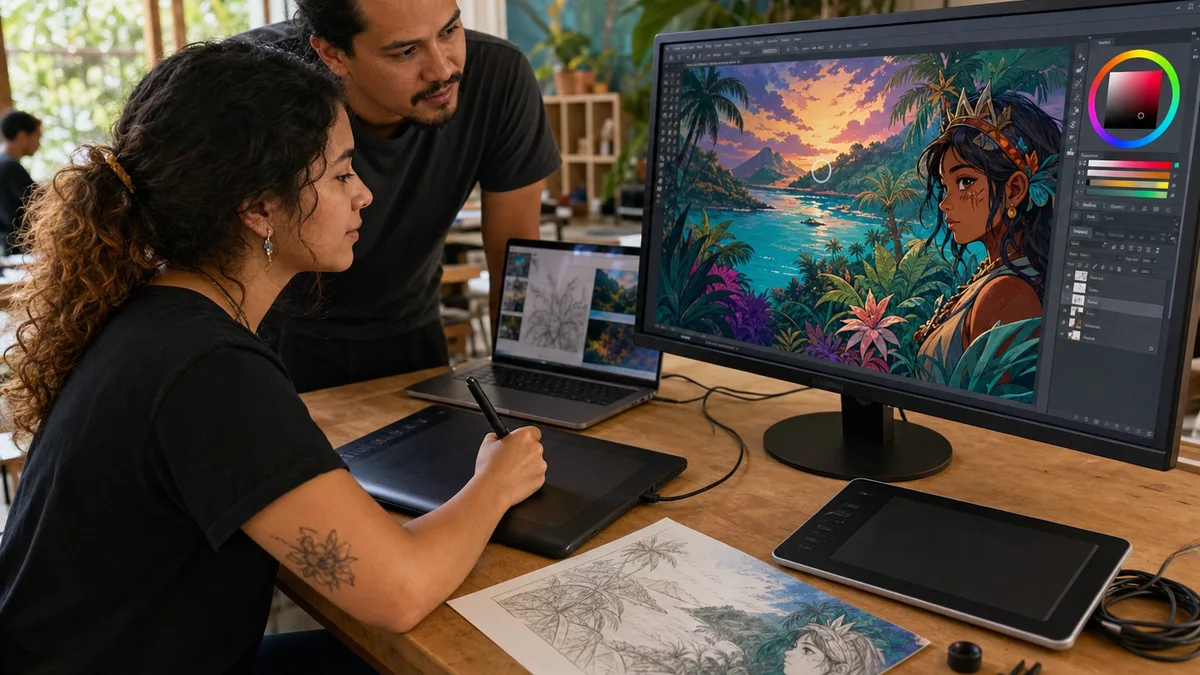
Pen tablet without a display
It connects to a computer and uses a pen to control the cursor and pressure. It normally needs:
- the tablet;
- a compatible pen;
- a cable or wireless receiver;
- a driver compatible with the operating system.
Pen display or interactive monitor
It has its own screen so the user can draw directly on it. It may require:
- a power supply;
- video cable;
- data cable;
- a specific pen;
- a stand or adapters.
Standalone device
Some devices combine a display, operating system, storage, and battery. In that case, in addition to testing the pen and screen, treat it as a device that may contain personal data and accounts.
Knowing the category prevents one of the most common problems with donated hardware: receiving a device without the proprietary accessory required to use it.
What information should you send before donating?
Prepare a simple inventory:
- exact brand and model;
- number of units;
- connection type;
- whether the pen is included or missing;
- available cable, adapter, and power supply;
- condition of the drawing surface and display;
- buttons that do not respond;
- connection problems;
- battery condition, when present, including swelling or damage;
- photos of the device and connectors.
If you do not know whether it works, say so. “Unknown condition” is more useful than claiming it works because it powered on years ago.
Basic tests before offering it
When it can be done safely:
- inspect the cable, connector, and enclosure;
- look for cracks, lifted areas, or a swollen battery;
- connect it only with the correct power supply;
- check whether the operating system detects it;
- test pen movement, click, and pressure when the software supports it;
- test buttons or a dial if the model includes them;
- record any fault without trying to hide it.
You do not need to disassemble a tablet to “make sure” it can be donated. Unnecessary opening can create damage that did not exist before.
The pen may be as important as the tablet
Many pens are not interchangeable across brands or generations. A tablet without a pen may still have value for parts or for someone who already has a compatible pen, but it should not be presented as ready to use.
Include these items when available:
- original pen;
- replacement nibs;
- pen holder;
- cable;
- power supply;
- adapters;
- stand or base;
- the box only when it helps protect the equipment during transport.
Do not buy new accessories before receiving confirmation that the tablet can be accepted. Completing an old device may cost more than its practical value.
Compatibility: working hardware may still be obsolete for a particular environment
The device may be physically sound but depend on an old driver. Before promising that it will work in a class or lab, check:
- operating systems supported by the manufacturer;
- driver availability;
- required port type;
- display resolution and connections for pen displays;
- pen compatibility;
- need for proprietary adapters.
If it only works with an older version of Windows or macOS, say so. That limitation does not automatically make the tablet useless, but it changes where it can be used.
Privacy: not every graphics tablet stores data
A conventional USB pen tablet usually acts as a peripheral and is not equivalent to a computer containing personal files. A standalone drawing device or another unit with storage may retain:
- accounts;
- sketches and photos;
- documents;
- application credentials;
- Wi-Fi networks;
- synchronized data.
In that case:
- back up what you want to keep;
- unlink accounts;
- remove memory cards that are not part of the donation;
- use the appropriate reset or erasure process;
- disclose when the device cannot boot and therefore cannot be wiped.
Crezendo's public donation policy states that the donor remains responsible for backups, account removal, and appropriate erasure unless a written exception defines another process.
What if the tablet is damaged?
You may still ask about an incomplete or faulty device, but do not assume it will be accepted.
Describe specifically:
- cracked display;
- missing pen;
- loose connector;
- damaged cable;
- defective buttons;
- swollen battery;
- dead zones in the drawing surface;
- liquid damage;
- intermittent faults.
A damaged battery requires extra care. Do not transport a device with a swollen or compromised battery until you have appropriate handling instructions.
Is donating always better than selling?
No. If the equipment still has market value and you prefer to sell it, that can be a reasonable choice. You may also keep it as a secondary device or give it directly to someone who confirms compatibility with their computer.
Donation makes sense when a recipient can actually evaluate and use the equipment. The EPA recommends reuse and donation of functioning electronics as ways to extend useful life before they enter the waste stream.
How to ask Crezendo about a donation
The process is straightforward:
- gather the model, photos, condition, and accessories;
- open Crezendo's donation page;
- send the information and your location;
- wait for an explicit response about acceptance and logistics;
- deliver or ship only what was confirmed.
Do not travel or ship a tablet simply because the site mentions “peripherals” or “tablets.” Capacity and current needs can change.
What this type of donation should not promise
A graphics tablet may support learning, creativity, or reuse, but it is not responsible to claim in advance that:
- it will go to a specific young person;
- it will create a professional career;
- it will be used in a particular course;
- it will be repaired;
- every part will be reused;
- it will avoid a measurable amount of emissions;
- Crezendo will accept every brand or generation.
The real outcome is known only after the device is assessed and a feasible route is agreed.
Sources consulted
Frequently asked questions
Can I donate a tablet without its pen?
You may ask, but clearly state that the pen is missing. Pen compatibility may limit immediate use.
Does Crezendo accept every brand?
Do not assume so. Send the brand, model, and photos and wait for confirmation.
Is a tablet with a cracked screen still useful?
It may have some value for assessment, parts, or diagnosis, but a broken display can also make reuse impractical. Describe the damage before moving the device.
Should I install the driver before donating?
It is not required. It does help to identify the model and check whether the manufacturer still provides a compatible driver.
Can I ship the tablet by courier?
Only after Crezendo confirms acceptance, the handoff method, and packaging requirements.
A good donation begins with accurate information
Brand, model, pen, cables, condition, and photos allow a decision before the device is moved. That preparation is more useful than a generic promise of “giving it a second life.”