Where to donate a used Smart TV in Panama: preparation, privacy, and options
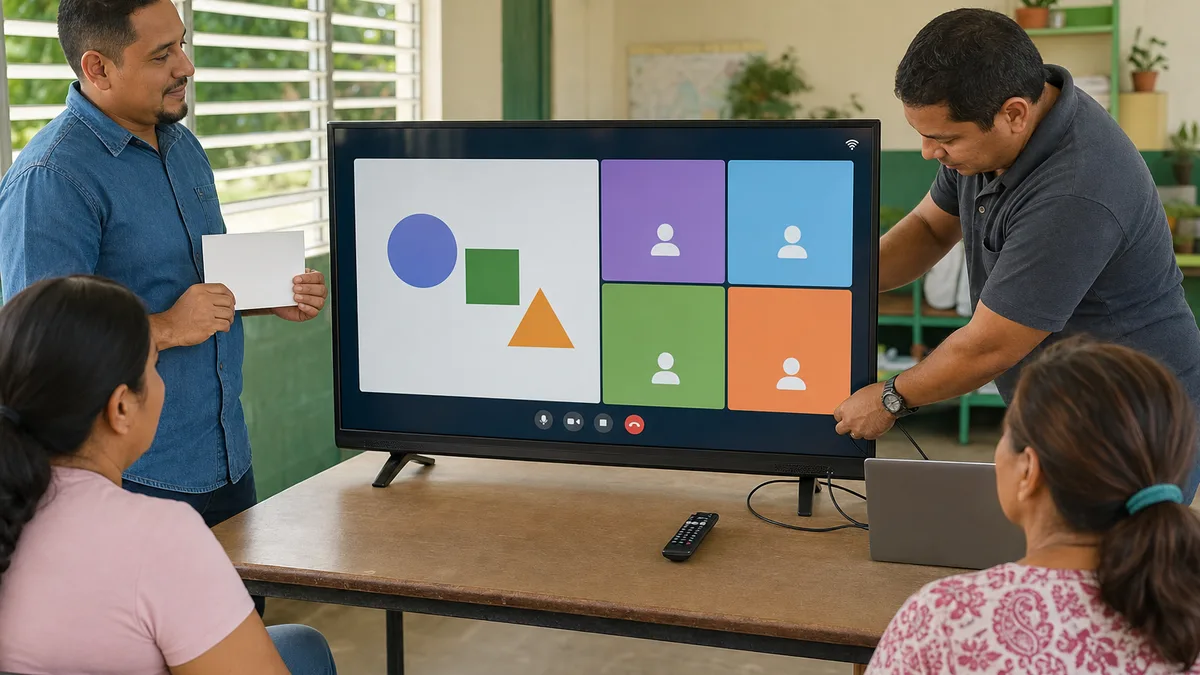
A Smart TV you no longer use may retain value if it works, has a sound display panel, and can be configured for someone else. But donating it is not simply a matter of unplugging it and handing it over. Before transferring it, assess its condition, remove accounts and data, gather useful accessories, and confirm that the recipient can actually use that model.
If you are considering donating it to Crezendo, ask first. Size, condition, operating system, accessories, physical safety, and current needs can affect the decision. An inquiry does not mean automatic acceptance and does not guarantee repair, home pickup, or a particular educational destination.
When does it make sense to seek a second life for the television?
A television can remain useful even if it is no longer the model you want at home. The main question is not its age but which functions still work and which limitations it has.
Before deciding, perform a basic check:
- whether it powers on and maintains a stable image;
- whether the screen has lines, permanent spots, dark areas, impacts, or cracks;
- whether audio works without major distortion;
- whether the inputs another user would need still work;
- whether Wi-Fi and smart features remain usable for the intended purpose;
- whether the remote control, power cable, stand, feet, or other necessary accessories are present;
- whether the enclosure, plug, and cord show any dangerous damage.
You do not need to disassemble the television to make this assessment. If there is a burnt smell, sparking, exposed wiring, liquid damage, or abnormal heat, keep it unplugged and disclose the condition before attempting to move or power it again.
A Smart TV can also contain personal information
A smart television may retain app sessions, profiles, Wi-Fi networks, history, preferences, paired devices, and other information associated with your accounts. Before selling, giving away, or donating it, check the manufacturer's official instructions for your exact model.
As a general process:
- Preserve any settings or information you genuinely need.
- Sign out or unlink accounts where the platform allows it.
- Remove USB devices, external drives, memory cards, or other storage accessories.
- Perform the factory reset specified by the manufacturer.
- Confirm that the television returns to its initial setup screen and that your accounts no longer appear.
- Check your main online accounts as well and remove the TV if it still appears as a linked device.
Reset menus and their effects vary by brand, model, and operating system. Do not copy a sequence written for another television as though it were universal. If the unit will not power on and you cannot erase or unlink your information, disclose that limitation before transferring it.
For broader privacy guidance when transferring electronics, see how to erase data before donating a device.
What should you send Crezendo before transporting it?
A Smart TV is bulky and its panel can be fragile. Asking first avoids moving equipment that does not match current needs or capacity.
If possible, provide:
- exact brand and model;
- approximate screen size;
- photographs of the front, rear, and model label;
- whether it powers on and any known faults;
- condition of the panel and power cord;
- whether the remote control is present;
- whether it includes the stand, feet, or mount;
- which inputs and major functions you were able to test;
- whether you completed the factory reset and account unlinking;
- your general location for logistics assessment.
Use Crezendo's donation page and wait for confirmation before arranging transport. Do not buy a remote control, stand, or mount solely to make the television donatable without asking first.
Can it still be useful without the remote or stand?
Possibly. A missing accessory does not automatically make a television useless, but it can greatly change how practical the unit is.
A remote may be required to configure certain functions; a stand may be essential if the recipient has no compatible wall mount; and a proprietary adapter may be difficult to replace. Describe exactly what you have and what is missing. Do not assume that a universal remote, mobile app, or generic mount will solve the problem without verifying compatibility with the model.
What if the “Smart” features are obsolete?
An integrated platform losing applications or updates does not necessarily make the display panel useless. If video inputs still work and the television is safe, it may retain value with a compatible external source.
But there is no reason to invent a second life at any cost. Consider:
- actual image quality and resolution;
- power consumption;
- available compatible inputs;
- cost and availability of accessories;
- size and transport difficulty;
- reliability of the unit;
- whether there is a real need for that television.
Buying several adapters or paying for an expensive repair solely to avoid discarding a unit may not make sense. Assess the whole situation rather than one feature.
How to transport a Smart TV without damaging it
Flat panels are sensitive to pressure, twisting, and impacts. Before moving the television:
- first confirm that the handoff has been accepted;
- disconnect cables and pack them separately;
- protect the screen without pressing directly on the panel;
- do not place objects on top of the screen;
- keep the television stable during transport;
- keep screws, feet, stand, and remote identified;
- disclose in advance if the unit is large or heavy.
The original box and inserts can help if you still have them, but they are not a universal requirement. The goal is to prevent a potentially useful donation from arriving with a broken panel because of transport.
Donate, sell, give away, or recycle: which makes sense?
There is no single answer for every television.
| Condition | First option to evaluate |
|---|---|
| Works well and is complete | Keep using, sell, give away, or ask about donation |
| Works but lacks accessories | Ask whether it is useful before buying replacements |
| Smart features are obsolete but inputs work | Consider reuse with a compatible external source |
| Has a repairable fault | Compare diagnosis and cost with the use it would have afterward |
| Broken panel or major electrical damage | Ask about an appropriate electronics-waste route |
| Data cannot be erased because it will not start | Disclose that before any transfer |
If the television no longer has a safe and reasonable reuse path, look for responsible electronics-waste handling. Our guide to donating electronics and deciding when recycling makes sense in Panama explains the broader decision.
Frequently asked questions
Does Crezendo accept every used Smart TV?
Do not assume so. First send the brand, model, size, condition, photographs, and accessories. Crezendo can confirm whether the case can be evaluated and what the next step would be.
Should I delete Netflix, YouTube, and other apps before donating?
Protect all linked accounts and data, not only particular apps. Follow the official reset and unlinking procedure for your model, then review your main online accounts as well.
Can I donate a television without its remote control?
You can ask. Usefulness depends on the model, whether it can reasonably be configured without that remote, and which accessories are available. Do not buy a replacement before asking.
Can I donate a Smart TV with a broken screen?
You can describe the case, but a broken panel greatly reduces reuse potential and may create physical hazards. Do not assume the unit will be accepted for repair or parts.
Will Crezendo pick it up from my home?
Do not assume pickup. Include your general location and the size of the television in the inquiry and confirm logistics before moving it.
Before handing it over
The best donation is not one that merely moves a device from one place to another. It transfers equipment that is safe, honestly described, prepared to protect your privacy, and confirmed to have a useful path.
If your Smart TV may still have a second life, send its details and photographs to Crezendo to ask about a possible donation before transporting it.