Mobile app development does not begin by choosing Flutter, Kotlin, Swift, React Native, or another tool. It begins by defining a problem, a flow that can be tested, and the conditions under which the app must work. Platform and architecture decisions come after that.
The search signal for this URL points in the same direction. During the reviewed 90-day window it received 108 impressions and no clicks, mainly for variants of “mobile app development in Panama” around positions 12 to 15. Only one impression explicitly referred to a course. The page should therefore answer mobile-development intent first rather than advertise an unverified course.
Quick answer: turn the idea into a small test
Before building a complete application, define:
- who will use it;
- which problem it solves;
- the main action;
- required data;
- what happens with no network or a slow connection;
- which permissions are genuinely necessary;
- which personal information is processed;
- how you will verify the primary flow on a real device.
A useful first version may have three screens and one complete workflow. Twenty unfinished screens are not necessarily a better prototype.
1. Define minimum scope before choosing the stack
Write one verifiable sentence:
The app allows {type of user} to perform {primary action} and confirm {observable result}.
Then list what is outside the first version, such as payments, push notifications, geolocation, chat, complex synchronization, third-party integrations, or complete offline support.
Every extra feature adds states, permissions, data, failure modes, and testing. Smaller initial scope makes it easier to learn whether the idea works.
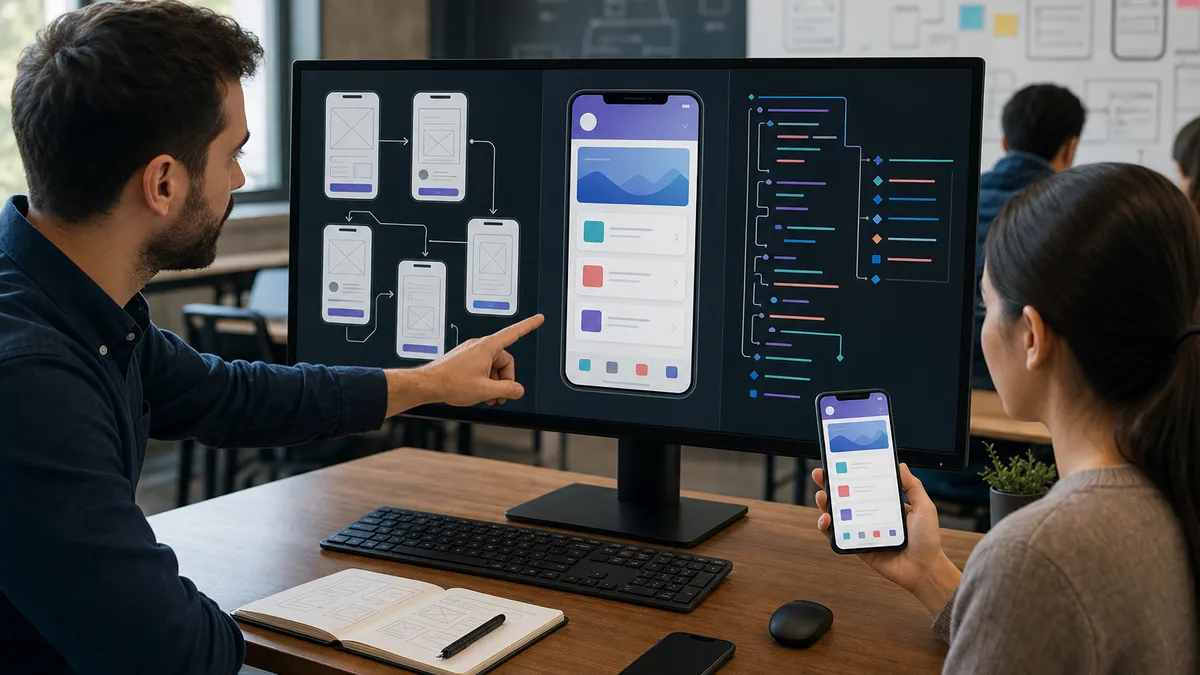
2. Design the workflow before final screens
A low-fidelity prototype can answer important questions without code:
- how does the person enter the flow?;
- what do they see first?;
- what information do they provide?;
- which mistakes can occur?;
- how do they know the action completed?;
- how do they go back or correct information?
Test concrete tasks. Do not ask only “do you like it?” Ask a person to complete a task without instructions and observe where they hesitate.
3. Choose a platform according to the need
There is no universal best option.
Native Android
It can make sense when the project needs deep Android integration, specific system APIs, or a learning path centered on that ecosystem.
Native iOS
It can make sense when the main target is the Apple ecosystem and the team needs to work directly with its APIs, tooling, and distribution lifecycle.
Cross-platform
It may reduce duplicated code by sharing logic or UI, but it does not remove platform differences in permissions, design, distribution, performance, or native APIs.
Before choosing, review team experience, target devices, integrations, maintenance needs, and the value of shared code. Do not pick a technology solely because it is fashionable.
4. Use an architecture that can change and be tested
Android's current architecture guidance recommends separating responsibilities and avoiding designs where all logic depends directly on platform components. Clear boundaries improve maintainability and testability.
For a small app, think in terms of:
- UI: what the person sees and does;
- state: information the screen needs at a given moment;
- logic: rules for the use case;
- data: API, local database, files, or services;
- errors: what happens when a dependency fails.
A three-screen app does not need twenty architectural layers. The goal is to replace or test one part without rewriting everything.
Reference: Guide to app architecture — Android Developers.
5. Design the data layer for real failures
If the app uses an API, define behavior for timeouts, empty responses, authentication errors, incomplete data, retries, caching when necessary, offline conditions, and local storage.
Do not test only the happy path on fast Wi-Fi. Mobile software lives with network transitions, suspended processes, battery limits, and different devices.
6. Request the minimum permissions
Camera, location, contacts, microphone, Bluetooth, notifications, and storage may involve permissions or disclosures depending on platform and version.
Before requesting one:
- ask whether the function can work without it;
- request access near the moment when the user understands why it is needed;
- handle denial without blocking unrelated features;
- do not collect data “just in case.”
Privacy and permissions are design decisions, not paperwork added just before release.
7. Test behavior, not only appearance
An app can look correct and still fail after rotation, window-size changes, network loss, unexpected data, or returning from the background.
Android recommends consistent testing to verify correctness, functional behavior, and usability. Depending on the project, combine:
- isolated logic tests;
- data integration tests;
- UI tests;
- devices or emulators with different configurations;
- release builds, not only debug builds.
See Android's guidance on what to test and preparing an app for release.
8. Test the version you will actually distribute
A development build does not prove the published version will behave the same way. Before distribution:
- create a release build;
- test installation and updates;
- verify API and service configuration;
- review logs and error handling;
- test slow or intermittent networks;
- confirm that secrets and development endpoints are not included;
- check accessibility and important copy;
- review permissions and privacy declarations.
Android provides testing tracks before production. Apple uses TestFlight for beta distribution within its ecosystem.
9. Publishing involves policies, not only uploading a file
Apple reviews apps and updates submitted to the App Store. Apple recommends testing on devices running current software and understanding App Review Guidelines during development rather than at the very end.
Useful official references include:
Android distribution also requires preparing and testing a release build and using appropriate release/testing mechanisms.
Do not promise that an app will be approved by a store simply because it compiles.
10. Measure after release
Define evidence that the app is doing its job:
- completion of the primary flow;
- errors and crashes;
- abandonment at a particular screen;
- support requests;
- time required to complete a task;
- versions or devices with recurring problems;
- actual use of a feature that justifies continuing to maintain it.
Do not collect analytics without a clear purpose. Measurement is also part of privacy and data design.
11. What to learn if you are starting from scratch
Before specializing in mobile development, build programming fundamentals: variables, conditions, functions, data, errors, APIs, and version control.
The programming-from-scratch guide for Panama covers that foundation without forcing a framework decision on day one.
Then practice a small mobile project with one complete flow and document your decisions.
12. What Crezendo can confirm
Crezendo's public catalog includes areas such as programming for beginners, web development, software engineering, databases/backend, and web applications. It does not currently publish a permanent cohort titled “mobile app development course.”
If you want to ask about related training, describe the objective, current level, number of participants, target platform, and the project you want to build. Crezendo can confirm which current area or scope is available.
Ask Crezendo about programming training
Frequently asked questions
Should I start with Android or iOS?
It depends on target users, available devices, team experience, budget, and the technology you want to learn. A prototype can help you decide before building both platforms.
Does cross-platform development eliminate the need to understand Android and iOS?
Not completely. Code can be shared, but permissions, distribution, design, platform APIs, and behavior still differ.
Do I need a database for my first app?
Not always. If the goal can be demonstrated with fictional local data, start there. Add a backend when the use case genuinely requires one.
How long does it take to build an app?
There is no universal timeline. Scope, design, data, integrations, testing, store review, and team experience can change the work dramatically.
Does Crezendo offer a specific mobile-app course?
Do not assume that from this historical URL. Review the current catalog and contact Crezendo to confirm which programming or development training is available.
Start with a flow you can finish
Draw three screens, define one complete action, and list the errors that could occur. Once that flow can be verified on a real device, you have a stronger basis for choosing architecture, platform, and the next features.