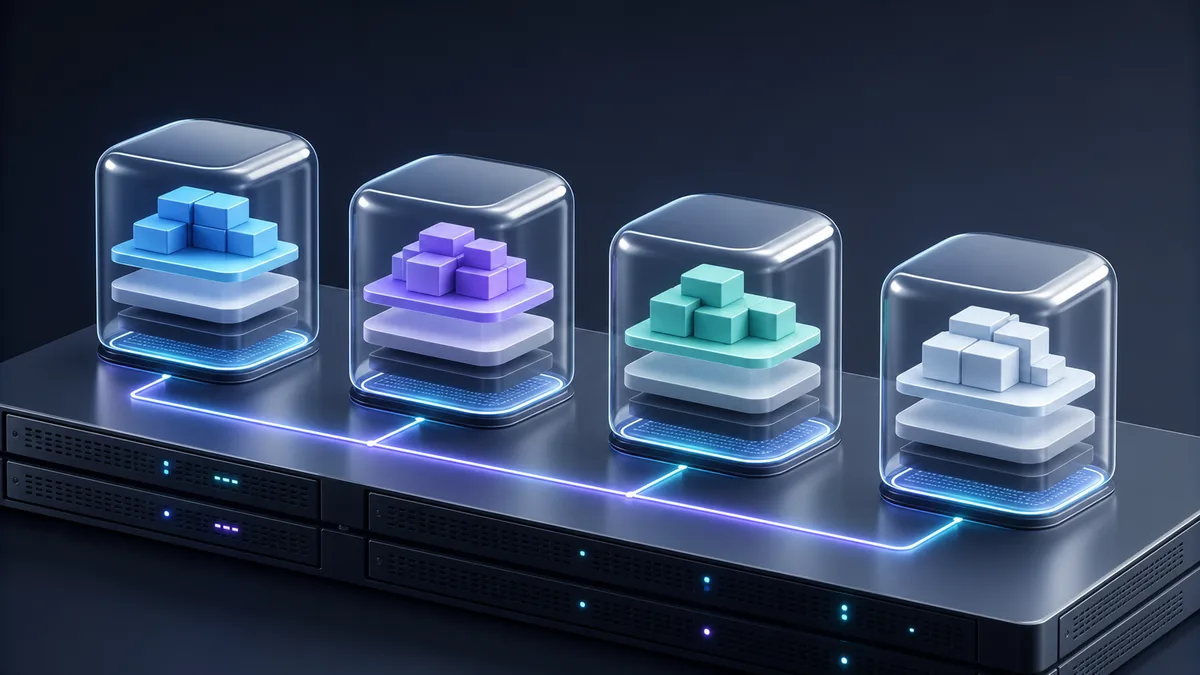
Docker lets you package an application with the environment it needs and run it as an isolated process. That sentence is useful, but it can create two mistaken ideas: a container is not a small virtual machine, and an image does not guarantee that software will work on every computer. Learning Docker well means understanding those boundaries, building a repeatable artifact, and demonstrating what happens when it runs.
This path starts with a local lab that uses synthetic data. It does not require a cloud account, publishing an image, or using real credentials. By the end, you will have a Dockerfile, a minimal application, a Compose definition, and a test matrix. You will also know which questions remain open before considering a real deployment.
If you are comparing ways to learn or need to adapt this practice to a specific environment, you can ask whether a relevant option is available. Confirm scope, availability, date, and cost explicitly before assuming that a service or guided engagement is available.
The mental model: image, container, and host
An image is an immutable package built in layers. It contains the filesystem and configuration needed to start a process. A tag such as node:lts-alpine is a convenient name, but it can point to different content when its publisher updates it. A digest identifies specific content. A readable tag may be reasonable in a lab; in a serious workflow, decide when it should be updated and record or pin the resolved digest.
A container is a runnable instance of an image. On Linux, its processes share the host kernel and rely on operating-system mechanisms to isolate names, resources, and permissions. That is why a container usually starts faster and uses less space than a complete virtual machine. It also means a container does not provide the same boundary as a separate operating system with its own kernel.
The host still matters. CPU architecture, operating system, kernel, runtime, drivers, networking, and storage can change the result. “It runs in a container” reduces variation; it does not remove every dependency.
Docker is a specific toolchain for building, distributing, and running containers. The Open Container Initiative maintains open specifications for image formats, runtimes, and distribution. This standardization enables interoperability among compatible tools, but it does not make an image built for a particular architecture or kernel universal.
Before Docker, it helps to understand how an application listens for requests, which files it needs, and which process starts it. If you are still building that foundation, see how to learn programming from scratch. To compare this example with another backend, the PHP from-scratch path provides a different server context.
The components you should recognize
- Dockerfile: a declarative recipe for building an image.
- Build context: the files the builder is allowed to read. Keep it small and exclude secrets and unrelated files with
.dockerignore. - Registry: a service that stores and distributes images. You do not need to publish anything to complete this lab.
- Volume: persistent storage managed by Docker, with a lifecycle separate from a container.
- Bind mount: a host path mounted inside a container. It depends on that host and can change host files unless made read-only.
- Network: connectivity among containers and toward external systems. Joining a Docker network does not make a service public.
- Compose: a YAML model for declaring services, networks, volumes, configurations, and secrets and operating them as a project.
EXPOSE 3000 in a Dockerfile documents the port the application expects; it does not publish that port on the host. An entry such as 127.0.0.1:3000:3000 in Compose does publish it, but only on the local interface. This distinction prevents many confusing diagnoses and accidental exposures.
Verify the environment before building
Install a supported Docker Engine distribution and the Compose plugin by following current documentation for your operating system. On managed computers, first confirm the organization’s virtualization and privilege policies. Then record these outputs without publishing usernames, sensitive paths, or private configuration:
docker version
docker info
docker compose version
docker version checks the client and server. docker info reports the active context and may warn about kernel capabilities. docker compose version confirms that you will use the current docker compose command. If the client cannot reach the daemon, solve that problem before touching the lab; indiscriminately adding a user to a group that controls the daemon is not a harmless fix.
The daemon socket or API has substantial control over the host. Only trusted users should reach it. Never expose it without protection or mount it inside a container you do not control.
Lab: a dependency-free HTTP API
Create a folder away from projects that contain real data and use this structure:
docker-lab/
├── src/
│   └── server.js
├── package.json
├── Dockerfile
├── compose.yaml
├── .dockerignore
└── README.md
The server uses only Node’s built-in HTTP module. This keeps the exercise focused on the container boundary rather than package installation.
// src/server.js
import http from "node:http";

const host = "0.0.0.0";
const port = Number.parseInt(process.env.PORT ?? "3000", 10);

const server = http.createServer((request, response) => {
  if (request.url === "/health") {
    response.writeHead(200, { "content-type": "application/json" });
    response.end(JSON.stringify({ status: "ok" }));
    return;
  }

  response.writeHead(404, { "content-type": "application/json" });
  response.end(JSON.stringify({ error: "not_found" }));
});

server.listen(port, host, () => {
  console.log(`listening on ${host}:${port}`);
});
The package.json only defines module mode and the start command:
{
  "name": "docker-lab-api",
  "private": true,
  "type": "module",
  "scripts": {
    "start": "node src/server.js"
  }
}
Do not use customer information, tokens, or passwords. The endpoint should always return the same synthetic value. If you later practice persistence, design disposable data and a separate restoration test.
Build an understandable image
Use this initial Dockerfile:
FROM node:lts-alpine

WORKDIR /app
COPY --chown=node:node package.json ./
COPY --chown=node:node src ./src

USER node
EXPOSE 3000
CMD ["node", "src/server.js"]
The base is deliberately small and the final process does not run as root. WORKDIR avoids relying on an implicit location. The JSON form of CMD delivers signals directly to the process. The base tag remains mutable: after a build, record the resolved reference with docker image inspect, evaluate the image’s provenance, and define a policy for rebuilding when fixes become available.
Limit the context with .dockerignore:
.git
.env
.env.*
node_modules
npm-debug.log*
*.log
README.md
Excluding a secret from the context is safer than trusting that it will not be copied accidentally. If a legitimate build needs a temporary credential, do not pass it through ARG or ENV; those values may remain in layers or metadata. Use the builder’s secret or SSH mounts and grant only the required access.
An application with a compilation step may benefit from a multi-stage build that separates build tools from the runtime. Extra stages would not add evidence here because there are no dependencies or artifacts to compile.
Declare the runtime with Compose
Create compose.yaml:
services:
  api:
    build: .
    ports:
      - "127.0.0.1:3000:3000"
    read_only: true
    tmpfs:
      - /tmp
    cap_drop:
      - ALL
    security_opt:
      - no-new-privileges:true
    restart: "no"
This definition keeps the lab bounded: it builds from the current directory, publishes the service only on localhost, makes the root filesystem read-only, provides an ephemeral /tmp, and drops additional Linux capabilities. Each control’s compatibility depends on the platform. Verify it in the rendered configuration and in the container instead of assuming it is active.
Compose creates a project network even with a single service. If you later add another service, the two can communicate by service name inside that network. Publishing a port is a separate decision and is only needed when a client outside the Compose network must reach it.
Validate the definition before starting it:
docker compose config
docker compose build --pull
docker compose up -d
docker compose ps
docker compose logs api
config detects YAML mistakes and displays the resolved model. build --pull checks for a newer available base; it does not provide reproducibility on its own, which is why you should retain the digest and build evidence. ps and logs show that the process started, but they do not yet prove application behavior.
Request http://127.0.0.1:3000/health with a browser or an HTTP tool:
curl http://127.0.0.1:3000/health
The expected response is HTTP status 200 and {"status":"ok"}. A different result is a signal to investigate, not a reason to rerun random commands.
Inspect instead of guessing
A useful diagnostic sequence moves from the declaration toward the process:
docker compose config: is the resolved value what you intended?docker compose ps: was the container created and is it running? Which port is shown?docker compose logs api: did the process start, or did it exit with an error?docker compose exec api id: does the interactive process use a non-root user?docker inspecton the container: do the network, mounts, image, and configuration match the intent?- A request to
/health: does the application answer from the intended access point?
Also test the read-only boundary:
docker compose exec api sh -c "touch /should-fail"
The operation should fail. Then verify that /tmp accepts an ephemeral file if the application needs one. This produces evidence that the control is active, rather than merely present in YAML.
If the container exits, inspect its exit code and logs. If it runs but does not answer, confirm that the application listens on 0.0.0.0, the mapping points to the correct internal port, and the local port is free. If it answers internally but not from the host, investigate publishing and the firewall. Changing everything to 0.0.0.0 or disabling security controls only hides the cause and may widen exposure.
Volumes and bind mounts are not interchangeable
The container’s writable layer is ephemeral: deleting the container removes those changes. A named volume has its own lifecycle and supports data that must survive container recreation. That does not make it a backup. Define export, restoration, encryption, permissions, and retention separately.
A bind mount connects a specific host path to the container. It is useful in development, but it couples the container to that machine’s directory structure and permissions. A writable mount can also change or delete host files. Prefer exact paths and readonly whenever the container only needs to read. Do not mount the host root, Docker socket, or broad directories as a shortcut.
To understand persistence, you can extend the lab with a named volume and a disposable tool from a trusted source. A complete test should write a synthetic marker, remove the first container, read the marker from another container using a read-only mount, and finally remove the volume by its exact name. Record the reference and digest for any helper image; do not base the evidence on an unknown mutable tag.
In a real application, persistence often connects to a database. The guide to using SQL to query databases helps separate query practice from backup, migration, and access design that a container does not solve automatically.
Minimum security before considering production
A container does not make a vulnerable application trustworthy. Review at least these boundaries:
- Use images with known provenance, minimize packages, and rebuild with fixes. Retain the digest, date, Dockerfile, and build result.
- Scan dependencies and the image with tools appropriate to your workflow. A scan with no findings does not prove that no vulnerabilities exist.
- Run as a non-root user. Consider a rootless daemon where compatible, but do not treat it as a substitute for permissions, updates, and isolation.
- Drop unnecessary capabilities, prevent privilege escalation, and avoid
--privileged, host networks/namespaces, and broad device access. - Set CPU and memory limits after measuring the application. Docker applies no resource constraints by default, so one process can affect the host.
- Keep secrets out of images and repositories. In Compose, grant each secret only to the service that needs it; in production, use the platform’s secure store.
- Restrict inbound and outbound traffic according to need. A private Compose network does not replace host or platform policy.
- Protect the daemon and its logs. Someone who controls the socket can gain capabilities equivalent to broad privilege on the host.
- Design backup and restoration for persistent data, and test both. Recreating a container does not recover lost information.
- Maintain inventory, logs, and an incident procedure. The image, runtime, host, and application have different update cycles.
Signatures, provenance, and an SBOM can strengthen the supply chain if the chosen workflow generates and verifies them. Producing files is not enough: document which identity is trusted, which policy blocks an artifact, and how updates happen without pinning a vulnerable base forever.
Evidence matrix for the lab
A verifiable deliverable can be a table in the README, without screenshots that expose private data:
| Question | Test | Acceptance criterion |
|---|---|---|
| Is the definition valid? | docker compose config |
Exits without error and shows only the intended configuration. |
| Does the image build? | docker compose build --pull |
Completes successfully and records the image reference. |
| Does the service start? | docker compose up -d and ps |
The service is running with no restart loop. |
| Does the API work? | Request /health |
HTTP 200 with the expected synthetic body. |
| Does the process avoid root? | docker compose exec api id |
Effective UID is not 0. |
| Is the root filesystem read-only? | Attempt touch /should-fail |
The write fails. |
| Is publishing local? | ps and host inspection |
The bind uses 127.0.0.1, not every interface. |
| Is diagnosis possible? | logs and inspect |
They connect a failure to the process, image, network, or mount. |
| Can it close cleanly? | docker compose down |
Removes the project container and network without deleting unrelated resources. |
Also record decisions: why that base was chosen, which digest resolved, what remains outside the lab, and what would change before production. Do not include tokens, .env files, customer paths, or database dumps.
To close the lab, run:
docker compose down
If you created a practice volume, remove it by its exact name only after confirming that it contains disposable data. Avoid docker system prune: a global cleanup can affect images, networks, caches, or volumes belonging to other projects.
How to know whether you understand the foundation
You do not need to memorize every option. You have the foundation when you can explain the difference between an image and a container, predict what disappears on recreation, build without secrets, publish only the required port, inspect a failure, and demonstrate basic controls. You should also be able to say “this is not production-ready” and list what remains.
As an extension, replace the manual response with a small interface. The introduction to React can help you practice the separation between frontend and API while keeping services on a local network and publishing only what is necessary.
The next step is not to add more tools by reflex. Repeat the lab from scratch using the README, compare the digest and test results, trigger one controlled failure, and document the diagnosis. Then choose a single extension—persistence, two services, secrets, or resource limits—and add an acceptance test for it.
If you need to assess how to apply this path to a specific situation, contact Crezendo to ask about current options. Describe the operating system, architecture, objective, constraints, and expected evidence; confirm scope, availability, date, and cost before sharing data or assuming an outcome.