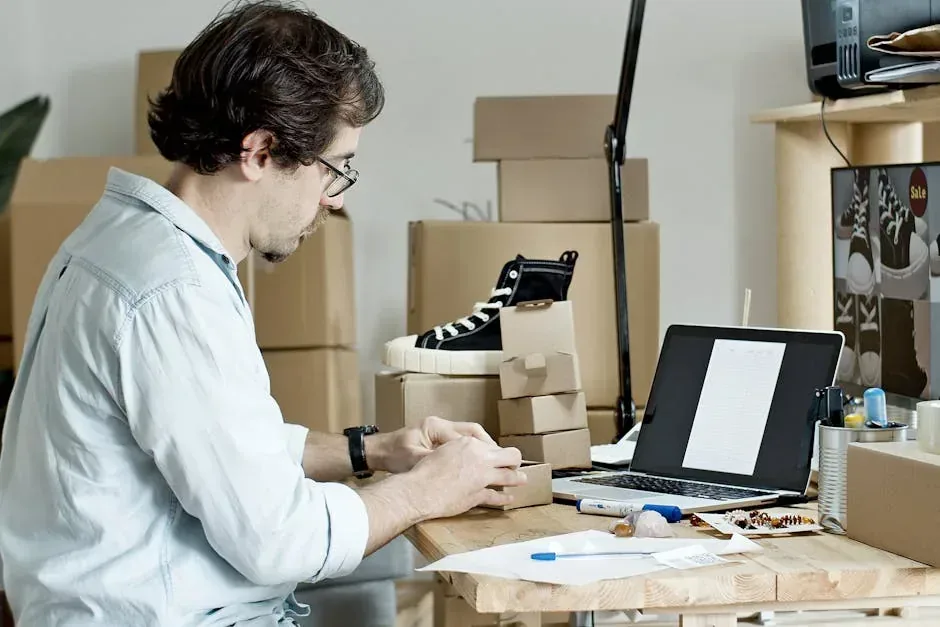
If you have a product to sell in Panama and still do not have an online store, you are leaving money on the table. It does not matter if you sell clothing, food, crafts, or services: having a digital presence is no longer optional, it is mandatory. And the good news is that you do not need to know how to code to set up a store that actually works.
This guide walks you step by step through everything you need to know, from choosing the platform to receiving your first online payment.
Step 1: Choose the Right Platform
Not all platforms work for every case. Here are the best options for the Panamanian market:
WooCommerce (Recommended for Most)
It is a WordPress plugin that turns your website into a complete store. It is free, flexible, and does not limit you on products or customization.
Pros: no sales commissions, full design control, thousands of additional plugins. Cons: you need to get hosting and do the initial setup (which is easier than it sounds).
Shopify
The most popular e-commerce platform in the world. Everything is included: hosting, design, payment gateway, marketing tools.
Pros: extreme ease of use, 24/7 support, professional design from day one. Cons: plans start at $29/month, additional commission per sale if you do not use Shopify Payments.
TiendaNube
Popular in Latin America, it has the advantage of being adapted to the regional market. Spanish interface, local support, and tools designed for small businesses.
Pros: very easy to use, Spanish interface, good support. Cons: less customization than WooCommerce or Shopify.
What About WhatsApp Business?
It is not an online store, but in Panama it is where most sales happen. You can combine it with your store: the store to display products and process payments, and WhatsApp for personalized attention.
Step 2: Register a Domain and Hosting
Your domain is your store's address (e.g., mystore.com.pa). Hosting is where your online store lives.
- Domain: register it at Namecheap, GoDaddy, or any registrar. A .com costs about $10 per year. If you want a .com.pa, register it at NIC Panama.
- Hosting: for WooCommerce, you need hosting that supports WordPress. Hostinger, SiteGround, or Bluehost are good options. Basic plans cost between $3 and $10 per month.
If you use Shopify or TiendaNube, hosting is already included. You only need the domain.
Step 3: Set Up Payment Methods
This is where many Panamanian entrepreneurs get stuck. These are the real options for receiving online payments from Panama:
PayPal
It works, it is well known, and most international clients have it. The fee is approximately 5.4% + $0.30 per transaction. Withdrawing funds to a Panamanian bank account is possible but takes 3 to 5 business days.
Stripe
The best technical option for credit card payments. Processes payments from customers worldwide. The fee is 2.9% + $0.30 per transaction. To use Stripe from Panama you need a verified business account.
Local Bank Transfer
For clients in Panama, offering transfers to Banco General, BAC, or Banistmo accounts is the most direct method. No fees, no intermediaries. Just put your bank details in the store and confirm payment manually.
Yappy and Bizum
Yappy (from Banco General) allows payments between individuals and registered businesses. It is fast, no fee for the buyer, and increasingly used in Panama.
Cash on Delivery
Do not dismiss it. In Panama many people prefer to see the product before paying. If you do local deliveries, offering cash on delivery can increase your conversions.
Step 4: Shipping Logistics
Selling online is half the job. Delivering the product is the other half.
Deliveries Within Panama City
You can start by making deliveries yourself. Define zones and schedules. Many entrepreneurs use local messenger services like MRW, Cargo Express, or Servientregas to automate.
Deliveries to the Interior
Transporte Blanco, Oller, and courier companies cover the main cities in the interior. Calculate shipping costs carefully so you do not lose money.
International Shipping
If you sell Panamanian products abroad (coffee, crafts, etc.), use DHL, FedEx, or Correos de Panama. Keep in mind the customs restrictions of the destination country.
Who Pays for Shipping?
Two models work well in Panama:
- Free shipping with the cost built into the product price
- Flat-rate shipping by zone (e.g., $2 within the city, $5 to the interior)
Be transparent about shipping costs from the start. Customers hate surprises at checkout.
Step 5: Upload Products and Configure the Store
For each product you need:
- Good quality photos: use natural light, clean background, show the product from multiple angles. A phone with a good camera is enough.
- Clear description: what it is, what it is for, materials, dimensions, available colors.
- Visible price: indicate whether the price includes tax or not.
- Updated stock: nothing worse than selling something you do not have.
Also set up:
- Return policies
- Frequently asked questions
- Visible contact information
- Links to your social media
Step 6: Launch and Get Your First Sales
Your store is ready. Now you need traffic:
- Social media: create content about your products on Instagram and TikTok. Show the product in use, not just catalog photos.
- WhatsApp: share your store link with your contacts and ask them to forward it.
- Google Business: register your business on Google. It appears in local searches for free.
- Launch promotions: a 10-15% discount for the first customers generates initial momentum.
Common Mistakes to Avoid
- Not showing prices clearly from the start
- Using poor quality photos or messy backgrounds
- Not responding to messages quickly (in Panama people buy via WhatsApp and expect immediate responses)
- Not calculating shipping costs properly and losing money on each order
- Wanting a perfect store before launching
Digital Skills You Need
To maintain your online store you do not need to be a programmer, but you do need to handle with ease:
- Basic photo editing (Canva works perfectly)
- Writing sales copy
- Social media management
- Using online payment tools (PayPal, Stripe)
- Spreadsheets for inventory and finance control
If you want to make the leap into e-commerce and feel you are missing some of these skills, at Crezendo we have practical workshops where we teach you to handle the digital tools you need to sell online. Contact us and we will help you get started with a clear plan and no complications.


