Technology training for older adults in Panama should begin with the person, not a generic list of applications. The objective might be making a video call, organizing photographs, completing a form, using email, recognizing a scam, or configuring a phone for more comfortable reading. Each objective calls for different practice and evidence.
This guide helps define those objectives and evaluate training before enrollment. It does not announce a current Crezendo course, rank institutions, or promise independence, complete security, or rapid mastery. Age alone also does not determine what someone can learn or which support that person needs.
Quick answer: look for training built around real tasks
Before choosing a course, request a scope conversation that answers five questions:
- What does the person want to do independently, and on which device?
- What can the person already do without help?
- Where does the barrier appear: interface, password, reading, hearing, movement, connectivity, language, or fear of making an error?
- Which adjustment or support does the person prefer?
- How will the learner demonstrate the task and recognize when to stop and ask for help?
A useful syllabus turns those answers into observable exercises. “Learn a smartphone” is too broad; “save a contact, start a video call, and block a suspicious message without the instructor touching the phone” can be practiced and assessed.
Age does not define one way of learning
The World Health Organization emphasizes the diversity among older people and the role environments play in what people can do. The National Institute on Aging also explains that older adults can learn new skills. Serious training therefore avoids treating every participant as fragile, dependent, or incapable.
The learner should participate in decisions about objectives, pacing, device, privacy, and support. Some people may begin with touchscreen gestures; others already use messaging and need practice with procedures or security. Some may need larger text, captions, a keyboard, a screen reader, or breaks; others may not. Asking is more accurate and respectful than assuming.
This approach also avoids ageism. The WHO describes ageism as stereotypes, prejudice, and discrimination based on age. Phrases such as “this is very easy,” “let me do it for you,” or “you do not need that at your age” can remove control instead of teaching.
Turn everyday needs into verifiable objectives
A program does not have to cover everything. Choose a few high-value tasks and order them by dependency.
| Need | Observable objective | Exit test |
|---|---|---|
| Communication | Identify a contact and start a call or video call | Completes the journey without physical prompts from the instructor |
| Information | Open the browser, form a search, and distinguish a result from an advertisement | Explains why two practice results do or do not seem trustworthy |
| Read, reply, attach, and recognize a suspicious message | Sends a fictional file and reports or deletes a phishing simulation | |
| Photos and files | Take, locate, share, and delete with confirmation | Finds a photo by date and shares it with the intended contact |
| Forms | Complete fields, correct errors, and retain a receipt | Finishes a practice form without using sensitive data |
| Security | Protect the device, account, and recovery process | Enables agreed controls and explains which information must never be shared |
| Digital procedure | Follow an official journey and verify the result | Completes a simulation; the account holder retains control of any real procedure |
Not everyone needs every task. Banking, health, and public procedures require special care: training may teach the journey through demonstrations or fictional data, but the instructor should not know passwords, authentication codes, medical information, or recovery answers.
An initial assessment without an exam or embarrassment
An initial assessment should feel like a practical conversation, not a school test. Ask the person to show a familiar task and then one that is difficult. Observe where progress stops and ask what the person expected to happen.
Record only information needed to adapt the training:
- device, operating system, and approximate version;
- available connection and data limits;
- language and familiar terms;
- preferred text size, volume, contrast, and input method;
- priority tasks and situations that create uncertainty;
- accepted form of support;
- account ownership and recovery control.
Do not diagnose a health condition. When a disability or technical support need exists, agree on reasonable adjustments with the person and, when appropriate, with a qualified professional or service. Panama's SENADIS National Universal Accessibility Plan includes access to information, communication, and technology within the national inclusion framework; a blog guide cannot determine an individual adjustment.
Method: demonstrate, practice, withdraw help, and verify
A simple sequence separates support from dependence:
- Agree on the goal: explain its purpose and when not to use it.
- Demonstrate once: narrate each decision without moving too quickly.
- Practice with guidance: the learner touches, types, and decides; the instructor asks before intervening.
- Repeat with a variation: change the contact, file, or message so the learner does not memorize only one screen.
- Remove prompts: the learner completes the journey and explains each action.
- Test an error: simulate a lost connection, incorrect password, suspicious link, or incomplete field.
- Create a short aid: learner-authored steps, authorized screenshots, or a reference card without passwords.
- Review later: identify what remains and what requires further practice.
Pacing should respond to performance, not to a promise of “learning in one class.” There is no universal duration. A longer session may create fatigue without improving learning, and many hours do not repair vague objectives.
Practice should use the learner's actual device when feasible. Moving from Android to iPhone, from tablet to computer, or between versions changes routes, icons, and gestures. A course should teach orientation and current help-seeking instead of one permanent sequence.
Accessibility tested with the learner
The W3C Web Accessibility Initiative explains that many older users' needs overlap with disability accessibility. Its older users and web accessibility guidance discusses vision, hearing, dexterity, and attention as factors that may affect use without claiming that every older person experiences them.
Before changing settings, ask permission and record the previous state. Test one change at a time:
- text and interface-element size;
- contrast, brightness, or color mode;
- magnification;
- screen reading or text to speech;
- captions and transcription when available;
- volume, balance, and compatibility with hearing devices;
- physical keyboard, dictation, voice control, or touch adjustments;
- reduced motion or simpler notifications.
Menu paths vary. Consult current guidance for Android accessibility, iPhone and iPad vision accessibility, or Windows text size, according to the actual device. An adjustment is useful only if the learner can find it, activate it, and continue tasks with fewer barriers.
The class platform matters too. The W3C forms tutorial recommends clear labels and instructions, understandable feedback, and avoiding rigid time limits when possible. Ask whether the provider's registration, materials, assessments, and video sessions work with the supports the learner uses.
Priority syllabus for basic digital autonomy
1. Device orientation and control
Power, lock, charge, battery, connection, volume, home navigation, app switching, and closing an unexpected screen. The objective is not naming every icon; it is recovering orientation when something changes.
2. Connectivity and data use
Distinguish mobile data from Wi‑Fi, identify a known network, recognize public access portals, understand when downloads use data, and know whom to ask about the plan. Training should not automatically connect to unknown networks or retain another person's credentials.
3. Contacts, messages, and video calls
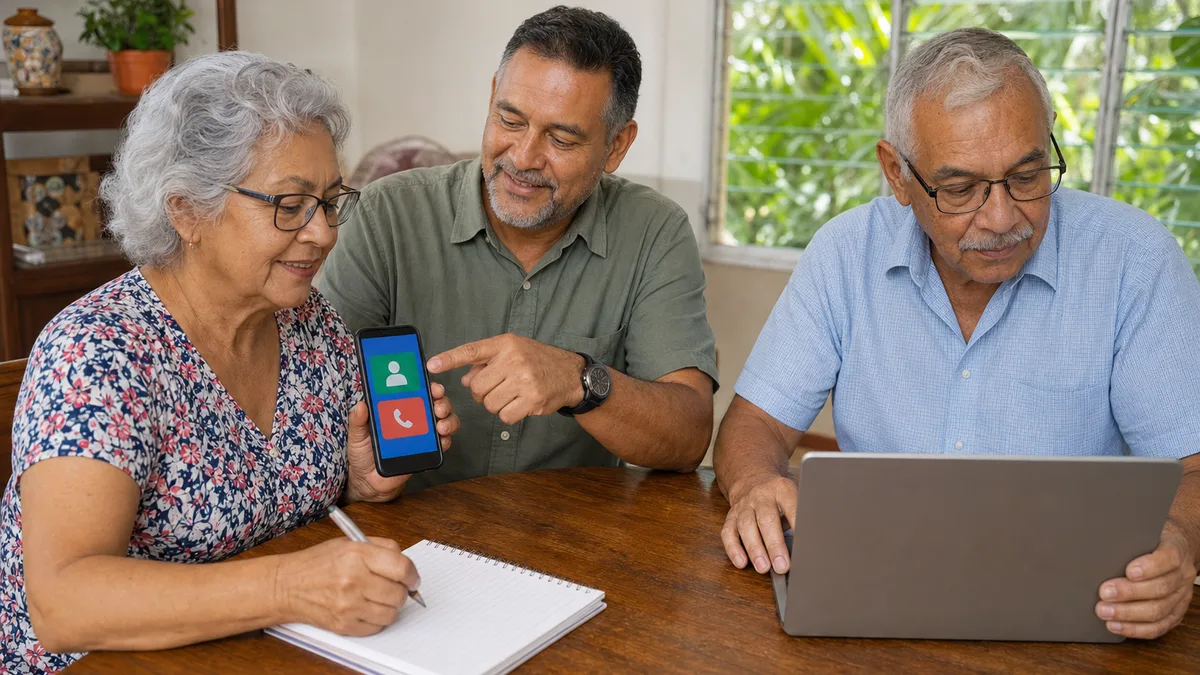
Add and verify a contact, start and end a call, control microphone and camera, share only selected content, and block unwanted communication. Practice what happens when the wrong person is called or a link arrives during the conversation.
4. Browser, search, and sources
Recognize the address bar, tabs, advertisements, downloads, and permissions. Compare the domain with the expected name, leave without installing anything, and locate the official page through a known channel. Appearing first does not mean being official.
5. Email, files, and photographs
Distinguish reply from forward, check the recipient, attach the correct file, locate downloads, and retain a copy. Use fictional documents. Photos of identity cards, bank cards, prescriptions, or private information should not circulate as practice materials.
6. Accounts and recovery
Create a unique password without dictating it to the instructor, configure recovery with information controlled by the account holder, and enable multifactor authentication when the service and learner can use it sustainably. The plan should address a lost phone or changed number.
7. Updates, applications, and permissions
Check who publishes an app, which permissions it requests, how much space it uses, and how to update or remove it. Remote-access software should not be installed merely to “make class easier” without necessity, consent, a defined scope, and verified removal.
8. Procedures, purchases, and banking through simulation
Practice reaching the official domain, reading requirements, completing a fictional form, identifying a charge, and saving a receipt. A real transaction happens only when the person understands and decides, preferably outside the session when money, health, or identity is involved.
Online safety: learning to stop is also a skill
Responsible training does not try to turn the learner into a cybersecurity specialist. It provides a repeatable process for pressure, surprise, or urgency:
- Stop: do not click, pay, install, or read out codes.
- Leave the message: open the known contact or site separately.
- Verify: call a previously saved official number or ask a trusted person without forwarding secrets.
- Protect: block, report, change credentials from a trusted device if exposure occurred, and retain useful evidence.
- Escalate: contact the bank, platform, or relevant authority through its official channel.
The Superintendency of Banks of Panama recommends security measures and dynamic authentication to reduce online-banking risk. Its material on fraud and phishing explains how messages imitating a bank seek account information and passwords. Always confirm current procedures with the bank itself.
ACODECO recommends verifying identity, evidence, and site security before an online purchase. CISA's Secure Our World guidance organizes basic controls around phishing, passwords, MFA, and updates. These sources can structure exercises; no control guarantees that fraud will never occur.
Include simulations of:
- an urgent message with a shortened link;
- an alleged family member asking for money from a new number;
- fake support requesting remote-access installation;
- an authentication code someone asks for “verification”;
- a prize, refund, or investment requiring advance payment;
- a seller profile with an improbable price;
- an app requesting contacts, camera, or location without a clear reason.
Practice should teach warning signs and a verification process, not shame someone who made a mistake. Safety improves when a learner can report uncertainty early.
Privacy and boundaries for instructors and relatives
ANTAI's personal-data FAQ provides an official reference for personal data and associated rights under Panama's Law 81. Privacy by design in training means reducing what is seen, copied, or retained.
An instructor or relative should not:
- request passwords, PINs, authentication codes, or secret answers;
- retain an identity card, bank card, or medical data for practice;
- add a personal email or phone as recovery without an informed decision by the account holder;
- make a transfer, purchase, or contractual acceptance on the person's behalf;
- retain remote access or an active session after the lesson;
- publish the learner's image or screen without specific consent;
- treat difficulty as permission to take permanent control.
If the learner requests support for a real transaction, agree in advance on what the support person may see and what only the account holder will confirm. At the end, sign out, remove temporary permissions, and verify who controls recovery.
In person, remote, group, or individual: compare the fit
No format is universally best.
| Format | May work well when | Risk to control |
|---|---|---|
| In person | Gestures, ports, keyboard, or physical configuration must be observed | Travel, noise, lighting, venue accessibility, and the instructor doing the task |
| Remote | The learner can already enter the session and needs to practice in the normal environment | Initial access barrier, excessive screen sharing, and unnecessary remote control |
| Small group | Objectives and devices are sufficiently similar | Different pacing, comparison among learners, and too little individual practice |
| Individual | The goal is specific or requires particular adjustments | Higher cost and dependence if support is not gradually withdrawn |
| With a relative or caregiver | Roles are agreed and support will continue at home | The support person answering, touching the device, or controlling accounts without permission |
Request an accessibility test of the format before committing. For remote delivery, rehearse how to enter and leave. For in-person delivery, confirm physical access, seating, lighting, sound, breaks, and connectivity. Include these details in writing when they form part of the offer.
How to evaluate a course before paying
Request current terms instead of relying on an old blog description. Ask:
- Which profile, prerequisites, and devices does it support?
- How are individual objectives identified?
- How many learners practice per instructor and device?
- Who touches the device during exercises?
- Are fictional data used for banking, purchases, health, and procedures?
- How are text, audio, input, materials, pacing, and breaks adapted?
- What happens when a platform or application changes?
- How is a task assessed without completing it for the learner?
- What follow-up support exists, for how long, and within which limits?
- Which price, tax, material, connectivity, or device costs are included?
- Are cancellation, rescheduling, privacy, and image-use terms written?
- If a certificate exists, does it show attendance or a specific assessment?
A free demonstration may help test treatment and accessibility, but it does not guarantee the complete program's quality. A certificate does not guarantee employment, income, security, health, autonomy, or technology mastery.
Learning evidence and a final project
Assessment should match the agreed objectives. An evidence folder may include:
- the initial task list and learner-selected adjustments;
- three journeys completed without physical intervention;
- one phishing simulation correctly stopped and verified;
- a practice account protected with documented recovery;
- a fictional form completed and corrected;
- a short aid written in the learner's own words;
- a record of what can be done, what still requires support, and when to escalate;
- a later review to confirm retention and correct the instructions.
Do not retain screenshots containing real data. Evidence belongs to the learner or organization according to the agreement and should have a defined retention period.
How to support without creating dependence
Relatives and caregivers can reinforce learning by replacing “I will do it” with questions that return the decision:
- “What do you want to accomplish?”
- “Which part do you recognize?”
- “Which signal would make you stop?”
- “Would you like a hint, a demonstration, or for us to observe together?”
- “Can you repeat it without me touching the phone?”
Allow time for an answer and practice a variation. Do not correct every gesture immediately. For tasks with financial or privacy consequences, establish a clear pause and verification point.
People interested in community support can read the guide to the social impact of technology to think about participation, needs, and limits without assuming current placements. Older adults should participate in design and evaluation: W3C recommends involving real users to understand barriers and strategies, with consent and respect for their time.
A progressive learning path
One possible sequence, adjusted to the person, is:
- Device control, accessibility, and connection.
- Contacts, calls, and messages.
- Browser, search, and official sites.
- Email, files, and photographs.
- Passwords, recovery, MFA, and updates.
- Fictional forms and receipts.
- Simulations of relevant purchases, banking, or procedures.
- A personal project with assessment and a practice plan.
Only afterward, and if it matches the person's interests, a more technical path such as learning programming from scratch may be explored. Programming is not required for everyday digital autonomy. If cost limits access, the guide to technology scholarships in Panama can provide search questions, but every session, eligibility rule, and deadline must be verified with the current official source.
What Crezendo can confirm today
Crezendo's current public portfolio describes general digital literacy for teams, but our review did not find a published older-adult-specific offer with dates, price, format, seats, equipment, instructors, or certification. This article also does not confirm device loans, specialized geragogy experience, or a guaranteed outcome.
You may contact Crezendo to describe the tasks, device, number of learners, location or format, and required adjustments. The first step is to verify whether a relevant or adaptable educational option exists at that time and where its limits lie. Contact does not guarantee that the course is offered, that capacity is available, or that a proposal will result.
Frequently asked questions
Which prior knowledge does an older learner need?
It depends on the objective. Knowing how to use a computer or smartphone is not mandatory for every starting point, but the provider should state which device and basic actions it assumes. A practical assessment can begin from the actual task without labeling the person a beginner in everything.
How long does it take to learn a phone or computer?
There is no universal timeline. The task, previous experience, practice frequency, device, accessibility, and support all matter. Request observable milestones and review; be cautious with promises of complete mastery in a fixed period.
Is in-person or remote training better?
The better format is the one the learner can start, understand, and practice safely. Remote training assumes basic access to the session; in-person training must address travel and venue accessibility. A short test helps select the format.
Which online-safety topics should be included?
Identity and domain verification, phishing, urgency, unique passwords, MFA, updates, permissions, recovery, remote access, purchases, and response to possible exposure. Everything should be practiced without sharing secrets or moving real money.
Can someone with visual, hearing, or motor difficulties participate?
The person may need adjustments, assistive technology, or a particular format. Ask what works, test the materials and platform, and coordinate qualified support when appropriate. Age or disability does not justify assuming one solution.
How can I tell whether there is enough practice?
Each objective should include a task performed by the learner, a variation, a simulated error, and another attempt without physical intervention. Watching the instructor or answering memory questions is not enough to demonstrate execution.
Does Crezendo currently offer this course?
This article does not announce a specific current offer. The contact channel can confirm whether a relevant option exists at that time; dates, price, seats, format, equipment, instructors, and certification are not assumed.
Choose control, understanding, and evidence
Good training does not make the person dependent on the instructor. It enables the learner to complete chosen tasks, adapt a device, protect information, recognize when to stop, and request informed support. Practice—not promises—demonstrates that result.
If you are seeking an option for a person, family, community, or organization, tell Crezendo which tasks and adjustments you need to evaluate. The first step is to confirm whether a current capability fits; no course, proposal, price, seat, timeline, certificate, security, or result is guaranteed.