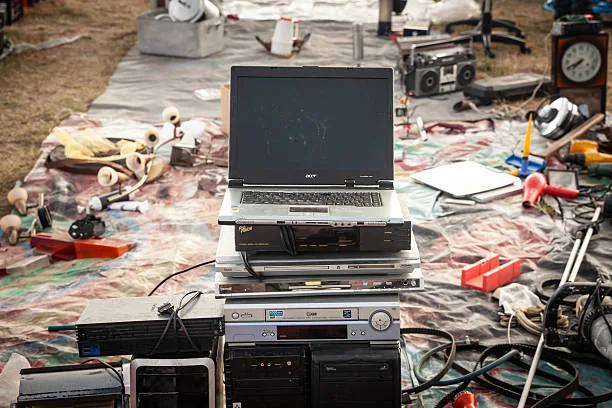
Technological obsolescence is more a market perception than a functional reality. A computer that today cannot run the latest video game or open twenty browser tabs simultaneously can still be a powerful tool for education, community administration, and access to information. In Panama, where the digital divide remains deep, giving a second life to used computers is a strategy with environmental, social, and economic impact.
The Myth of the "Old" Computer
The technology consumption cycle has taught us to associate "old" with "useless". However, basic educational needs — web browsing, office work, videoconferences, and introductory programming — do not require latest-generation processors or dedicated graphics cards.
A computer with these specifications is still useful:
- Intel i3 or equivalent AMD processor from fourth generation onward.
- 4 GB of RAM (preferably 8 GB if upgradeable).
- Functional hard drive or, ideally, a 128 GB solid-state drive (SSD).
- Functional USB port and video output.
- Ability to connect to the internet via cable or Wi-Fi.
Equipment with these characteristics, manufactured between 2013 and 2018, can last another three to five years in educational contexts with proper maintenance.
The Refurbishment Process
Giving a computer a second life is not just turning it on and handing it over. Responsible refurbishment includes several stages:
- Technical diagnosis: critical components such as motherboard, power supply, disk, RAM, and screen are evaluated.
- Physical cleaning: dust removal, new thermal paste on the processor, and fan verification.
- Secure data wiping: all previous disk information is eliminated with certified software.
- Lightweight operating system installation: many used computers benefit from optimized Linux distributions or lightweight Windows versions.
- Stress testing: temperatures, network stability, and performance under load are verified.
- Educational configuration: office suites, browsers, videoconferencing apps, and learning tools are installed.
This process can take between two and four hours per device, but exponentially multiplies its useful life and security.
Comparison: Recycling vs. Reusing
| Criterion | Immediate Recycling | Reuse with Refurbishment |
|---|---|---|
| Immediate environmental impact | High (transport, disassembly, chemical processes) | Low (extends product's full useful life) |
| Social impact | Indirect (materials for new products) | Direct (immediate access to technology) |
| Energy cost | High (smelting, refining) | Low (maintenance and configuration) |
| Time to benefits | Months or years (new production chain) | Days (direct delivery to users) |
| Value recovery | Raw materials | Complete functional tool |
Reuse does not replace recycling, but it delays it. When a computer truly reaches the end of its life, its components — copper, aluminum, gold, plastics — can be recovered more efficiently if fluids were already extracted and materials pre-sorted.
Contexts Where a Refurbished Computer Makes the Difference
- Rural schools: in areas without computer labs, five refurbished laptops can build a functional classroom.
- Community libraries: internet access and office software for populations without connectivity at home.
- Adult training centers: digital literacy, microenterprise management, and communication tools.
- Self-directed learning spaces: young people learning programming, design, or content creation with free software.
How to Participate in Computer Second Life
If you have a computer you no longer use:
- Do not discard it for being slow: often a software cleanup, more RAM, or an SSD transforms it.
- Do not store it "just in case": years of storage degrade batteries, capacitors, and hard drives.
- Evaluate whether it has repair value: if it powers on but malfunctions, a technician can diagnose it in minutes.
- Consider donation as the first option: before selling it for scrap price, explore foundations that will accept it.
- Document its specifications: note model, RAM, disk, and condition. This facilitates its rehoming.
The Social Value of Extending Useful Life
Every computer that is reused is a computer that does not need to be manufactured. Manufacturing an average laptop consumes approximately 200 liters of water, generates between 200 and 400 kg of CO₂ equivalent, and requires minerals extracted under frequently questionable conditions. Extending an existing device's life by three more years is, environmentally, comparable to significantly reducing the footprint of a new device.
But beyond the numbers, there is human impact. A student who receives a refurbished laptop does not receive "second-hand trash": they receive a tool that allows them to study, communicate, and build a different future.
If you have computers you no longer use, do not let them die in a closet. At Crezendo we accept laptops, monitors, phones, tablets, game consoles, keyboards, mice, and any peripheral in any condition. We refurbish what is repairable, reuse components, and channel what is irreparable into formal recycling. Contact us and help us demonstrate that in Panama a computer is never truly old: it is just waiting for its second life.