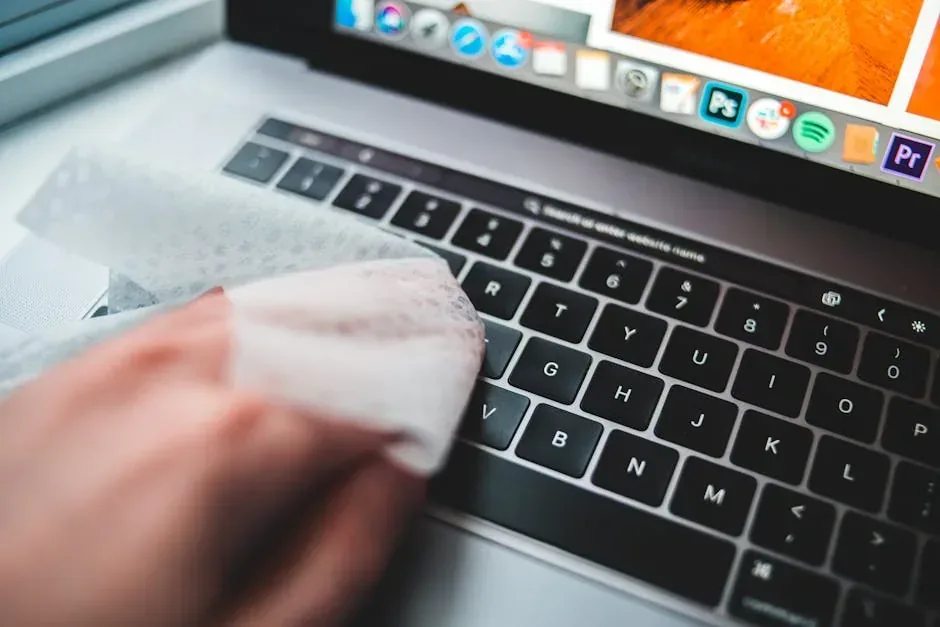
Computers, like vehicles, perform better and last longer when they receive preventive maintenance. Many organizations and households in Panama operate with equipment that has never been cleaned internally, has outdated operating systems, and runs at the limit of its capacity. The result is obvious: unexpected failures, data loss, and repair costs that could have been avoided with a simple routine.
Why preventive maintenance matters
The cost of repairing a computer after a failure far exceeds the cost of preventing it. A mechanical hard drive that breaks can take years of irreplaceable information with it. Chronic overheating can damage the motherboard beyond repair. Preventive maintenance is not a luxury: it is a low-cost form of insurance.
For companies, the impact is multiplied. One computer out of service can paralyze an employee for days. Multiply that by several machines and the operational cost skyrockets.
Monthly routine
These tasks take no more than 30 minutes per month and prevent bigger problems:
- Delete temporary files: use Windows Disk Cleanup or a tool like BleachBit.
- Check disk health: in Windows, run
chkdsk /fto detect bad sectors. - Update the operating system: install all security updates and cumulative patches.
- Check antivirus: confirm virus definitions are up to date and run a quick scan.
- Verify backups: make sure backups are being created correctly and that files can be restored.
Quarterly routine
Every three months, go a bit deeper:
- Physical hardware cleaning: open the desktop case or laptop back cover and use compressed air to remove dust from fans, heatsinks, and vents. Dust is the main cause of overheating.
- Review installed programs: uninstall software you no longer use. Every unnecessary program is a potential attack surface.
- Defragmentation (HDD only): if you still use mechanical disks, defragment to improve access times. Do not do this on SSDs, as it shortens their lifespan.
- Review permissions and users: remove old user accounts and verify that shared file permissions are correct.
Annual routine
Once a year, spend time on higher-impact tasks:
- Thermal paste replacement: the paste between the processor and heatsink dries over time and loses efficiency. Replacing it reduces temperatures by 5 to 15 degrees Celsius.
- Battery health check: on laptops, use the
powercfg /batteryreportcommand in Windows to generate a detailed report. If capacity has fallen below 50 %, plan a replacement. - Software license audit: verify that all programs are legally licensed. Pirated software is a common source of malware.
- Hardware needs evaluation: is RAM still sufficient? Is storage near full? Are peripherals working correctly?
Checklist for companies
Organizations with multiple devices should systematize maintenance. This table summarizes responsibilities:
| Task | Frequency | Responsible | Tool |
|---|---|---|---|
| Backups | Daily / Weekly | IT Administrator | Backup software |
| System updates | Monthly | User or IT | Windows Update |
| Physical cleaning | Quarterly | Technician | Compressed air |
| Full antivirus scan | Monthly | User | Windows Defender |
| Thermal paste replacement | Annual | Technician | New thermal paste |
| Inventory review | Semiannual | Administrator | Spreadsheet or ITAM software |
Common mistakes to avoid
- Using vacuum cleaners to clean: they generate static electricity that can damage components. Use only compressed air.
- Ignoring temperature alerts: if system software shows high temperatures, act immediately. Do not wait for something to fail.
- Postponing security updates: every skipped patch is an open door for attacks.
- Backing up only to the cloud: clouds are excellent, but keep at least one local copy on an external hard drive disconnected from the network.
Preventive maintenance in the Panamanian context
In Panama, the tropical climate accelerates equipment wear. High humidity, frequent power outages, and dry-season dust are factors that shorten computer lifespan. Using voltage regulators, dehumidifiers in server rooms, and keeping equipment elevated off the floor are practices that make a real difference.
Companies that ignore preventive maintenance end up spending more on emergency repairs and losing productivity. At Crezendo we offer initial diagnostics at no cost for organizations that want to understand the real state of their computer fleet. Based on the results, we design corporate workshops where we train staff in preventive maintenance, system optimization, and security best practices. It is not just about repairing: it is about teaching your team to care for their tools. If your company or organization in Panama wants to reduce failures and extend the life of its computers, contact us and we will coordinate an initial evaluation.